Maxine Gingras (@maxinegingras) 's Twitter Profile
Maxine Gingras

@maxinegingras

Mother. Teacher. Lifelong Learner.

ID: 891311844144689153

calendar_today29-07-2017 14:57:58

87 Tweet

113 Followers

342 Following

Kris Szajner (@kszajner) 's Twitter Profile Photo

❓Did you know you can embed GIF's into Jamboard⁉️ Check out this video showing how to make and embed them!! Watch it here - youtube.com/watch?v=pcSrGz… #GoogleEDU #distancelearning #remotelearning #jamboard

Matt Miller 🗑️ (@jmattmiller) 's Twitter Profile Photo

Chromebooks have a built-in screen reader! Use Ctrl + Alt + Z to activate. Also, on Android mobile devices, ask the Google Assistant "read this" on an article to hear it aloud. #googleedu #ditchbook #techlap #remotelearning

Chromebooks have a built-in screen reader!

Use Ctrl + Alt + Z to activate. 

Also, on Android mobile devices, ask the Google Assistant "read this" on an article to hear it aloud.

#googleedu #ditchbook #techlap #remotelearning
Google for Education (@googleforedu) 's Twitter Profile Photo

#a11y tip: the Select to Speak feature on #Chromebooks allows paragraphs to be selected & read aloud. This is a great tool for students learning English or are struggling with pronunciation. Watch the tutorial ↓ to start using this feature. For more: goo.gle/34G0xzB.

Google for Education (@googleforedu) 's Twitter Profile Photo

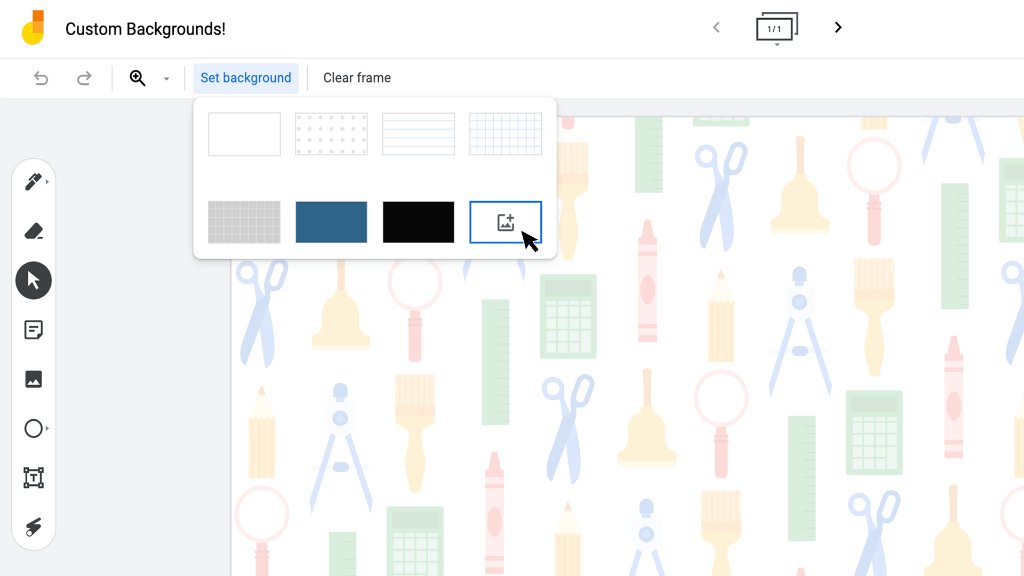
Exciting #Jamboard update 📣: in the coming days, you’ll be able to select a custom background in Jamboard! Share your ideas, templates, and lesson plans using custom backgrounds below ↓

Exciting #Jamboard update 📣: in the coming days, you’ll be able to select a custom background in Jamboard! Share your ideas, templates, and lesson plans using custom backgrounds below ↓
Screencastify 🎬 (@screencastify) 's Twitter Profile Photo

👋 Hey Google for Education schools: You can now create Google Classroom assignments on Screencastify Submit. 📆 Schedule assignments for later 🏫 Differentiate based on class and students 👀 View all videos on #GoogleClassroom Learn more: screencastify.com/blog/google-cl…

MindShift (@mindshiftkqed) 's Twitter Profile Photo

“We need to help our students actually see math all around them.” Here’s how using pictures in math class can spark great conversations. edutopia Kristen M. Acosta ow.ly/dfgW50Dke6x

David Pogue (@pogue) 's Twitter Profile Photo

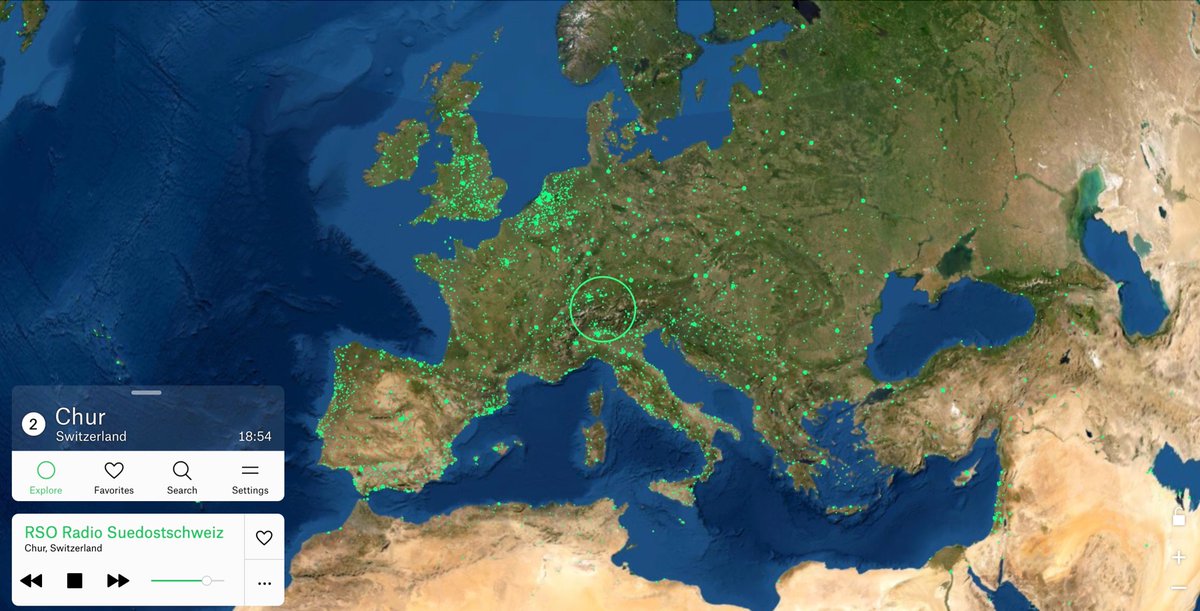
This is the COOLEST. A Google Earth-type representation of the planet. Every green dot is a radio station. Click any dot to listen in. It’s like cultural teleportation. You could spend hours with this thing… radio.garden

This is the COOLEST. A Google Earth-type representation of the planet. Every green dot is a radio station. Click any dot to listen in. It’s like cultural teleportation. You could spend hours with this thing… radio.garden
David Petro (@davidpetro314) 's Twitter Profile Photo

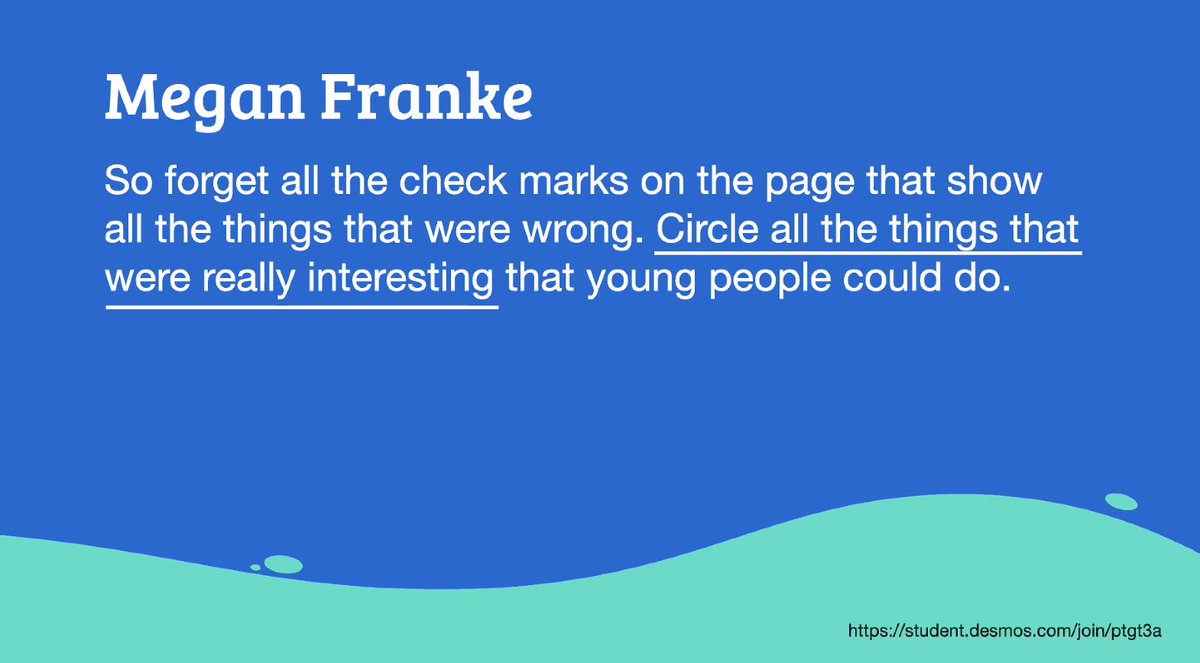
Love this from Dan Meyer's Math Without Mistakes keynote at #OAME2021 "So forget all the checks on the page that show all the the things that were wrong. Circle all the things that were really interesting that young people can do." -@meganlfranke #MathChat #MTBoS #iTeachMath

Love this from <a href="/ddmeyer/">Dan Meyer</a>'s Math Without Mistakes keynote at #OAME2021 

"So forget all the checks on the page that show all the the things that were wrong. Circle all the things that were really interesting that young people can do." -@meganlfranke

#MathChat #MTBoS #iTeachMath
Gerry Lewis, OCT (@glewisoct) 's Twitter Profile Photo

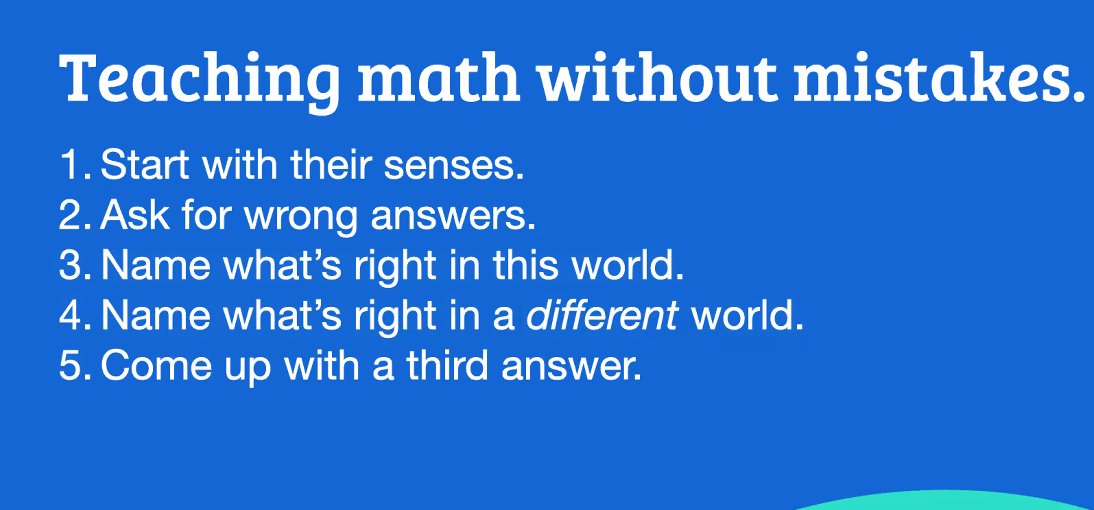
Main Points from Dan Meyer's Keynote session "Teaching Math Without Mistakes": Start with senses, ask for wrong answers, ask what's right (and could be right), come up with a 3rd answer. Thanks for an engaging opening to our #OAME2021 #AOEM2021 Conference

Main Points from <a href="/ddmeyer/">Dan Meyer</a>'s Keynote session "Teaching Math Without Mistakes": Start with senses, ask for wrong answers, ask what's right (and could be right), come up with a 3rd answer. Thanks for an engaging opening to our #OAME2021 #AOEM2021 Conference
edutopia (@edutopia) 's Twitter Profile Photo

These 5 questions help students approach new content as independent thinkers and learners. edutopia.org/article/5-meta…

Équipe pédagonumérique Laval (@equipepnumlaval) 's Twitter Profile Photo

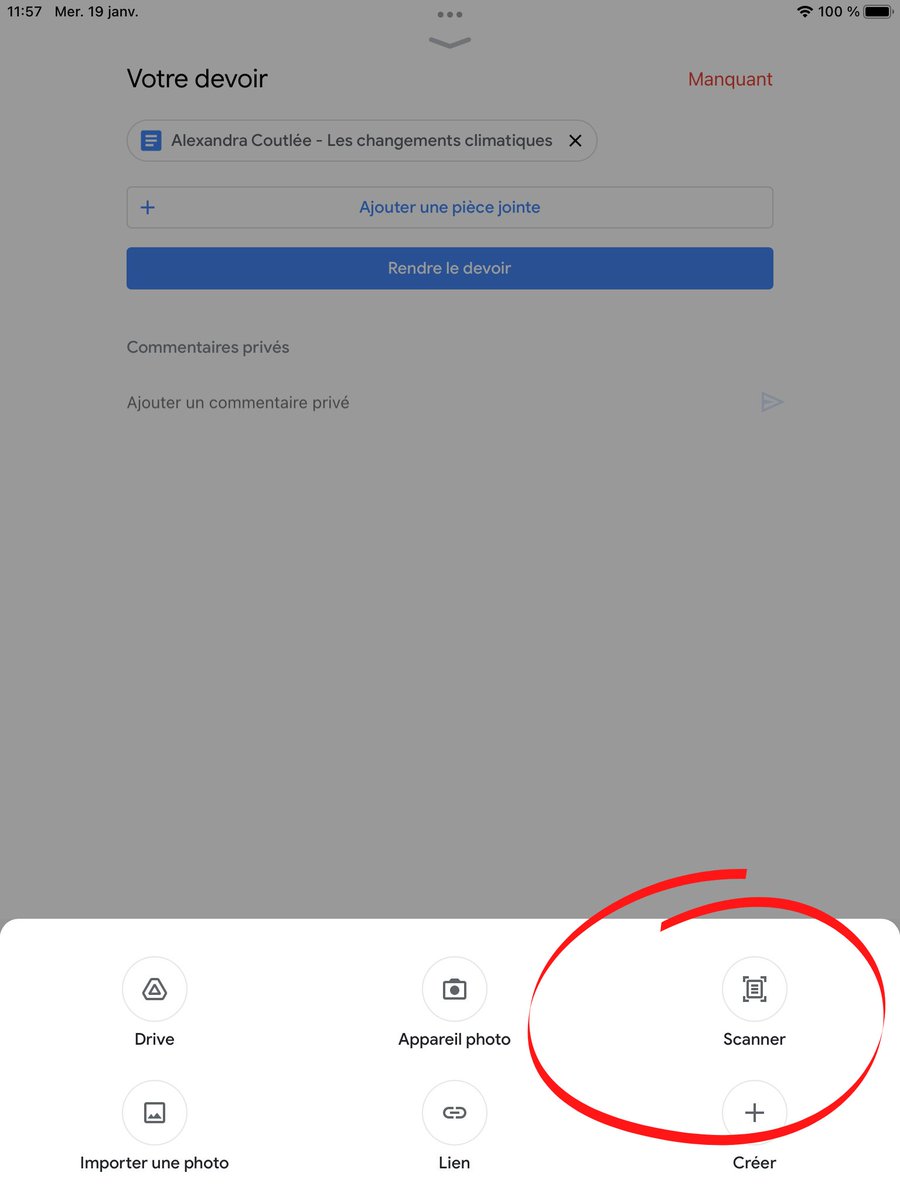
Nouvelle fonction Scanner dans l’application mobile Google Classroom. Elle permet à l’élève d’ajouter une suite de travaux papier! Disponible sur Apple et Android!

Nouvelle fonction Scanner dans l’application mobile Google Classroom. Elle permet à l’élève d’ajouter une suite de travaux papier!

Disponible sur Apple et Android!
TCEA (@tcea) 's Twitter Profile Photo

9 Technology Tools for Accommodation, Modification, and Intervention bit.ly/3AS0i1v Dr. Bruce Ellis #teachertwitter #educoach #k12 #learning
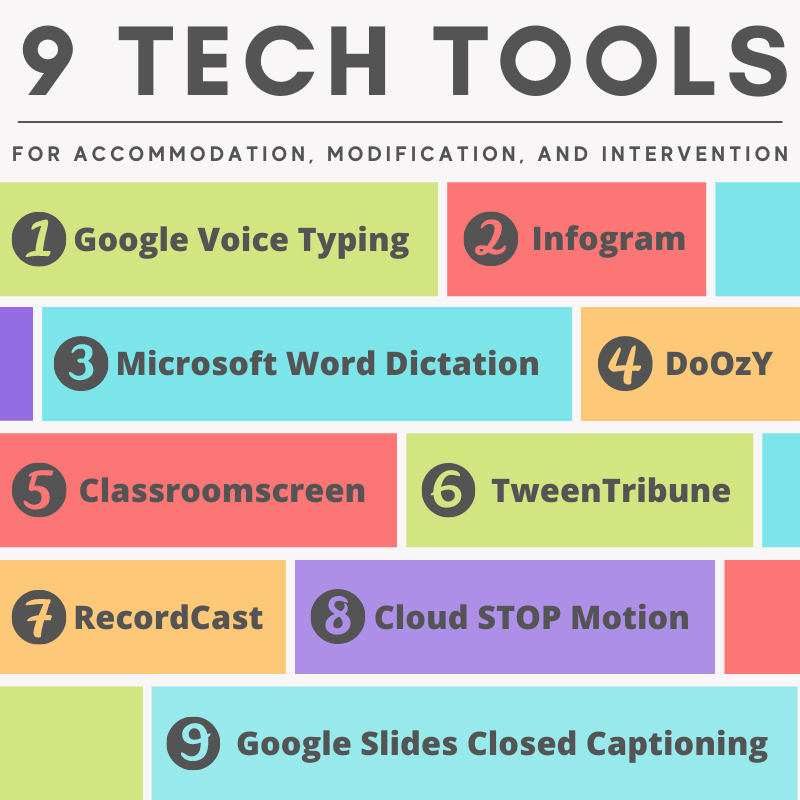

9 Technology Tools for Accommodation, Modification, and Intervention

bit.ly/3AS0i1v <a href="/drbruceellis/">Dr. Bruce Ellis</a>
#teachertwitter #educoach #k12 #learning
Google for Education (@googleforedu) 's Twitter Profile Photo

ICYMI our new #GoogleClassroom course is now LIVE! Whether you’re a newbie or a whiz exploring advanced functions, this course covers features that help simplify class management, accelerate grading, & more: goo.gle/3abUJU2 For more resources: goo.gle/3BHP1of

Code.org (@codeorg) 's Twitter Profile Photo

Teachers — it’s time to embrace AI in education. Today, with ETS, ISTE, and Khan Academy, we’re launching AI 101 for Teachers, a free professional learning series to help every teacher use AI safely and ethically in their classrooms. code.org/ai101 #ai101

Google Docs (@googledocs) 's Twitter Profile Photo

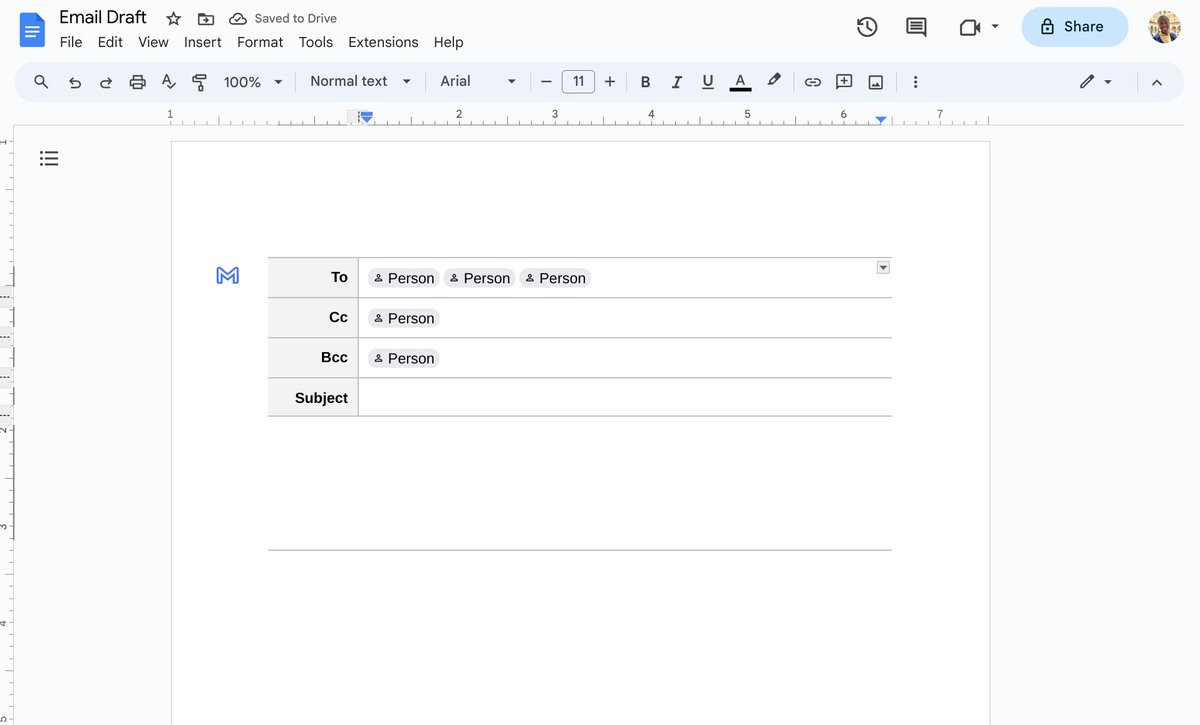
📧 Level up your email game! Craft email drafts in #GoogleDocs to gather feedback and keep everything organized. Learn more → goo.gle/3U4vV5e

📧 Level up your email game! Craft email drafts in #GoogleDocs to gather feedback and keep everything organized. Learn more → goo.gle/3U4vV5e