PyXLL (@pyxll) 's Twitter Profile
PyXLL

@pyxll

Python tools for Microsoft Excel

ID: 393902595

linkhttp://www.pyxll.com calendar_today19-10-2011 08:11:09

395 Tweet

695 Followers

544 Following
PyXLL (@pyxll) 's Twitter Profile Photo

Excel is such a great tool for noodling with things; With PyXLL it's perfect for fiddling with Python functions too! This #newtonexcelbach post plays with different Python LU decomposition functions #pythoninexcel newtonexcelbach.com/2023/05/26/lu-…

PyXLL (@pyxll) 's Twitter Profile Photo

Have you tried writing an Excel dynamic array function in Python yet? 🤔 Did you know with PyXLL you can also apply cell formatting to array functions? 🧐 Our latest blog post shows how to write your own, custom, formatter 🤯 pyxll.com/blog/custom-fi…

PyXLL (@pyxll) 's Twitter Profile Photo

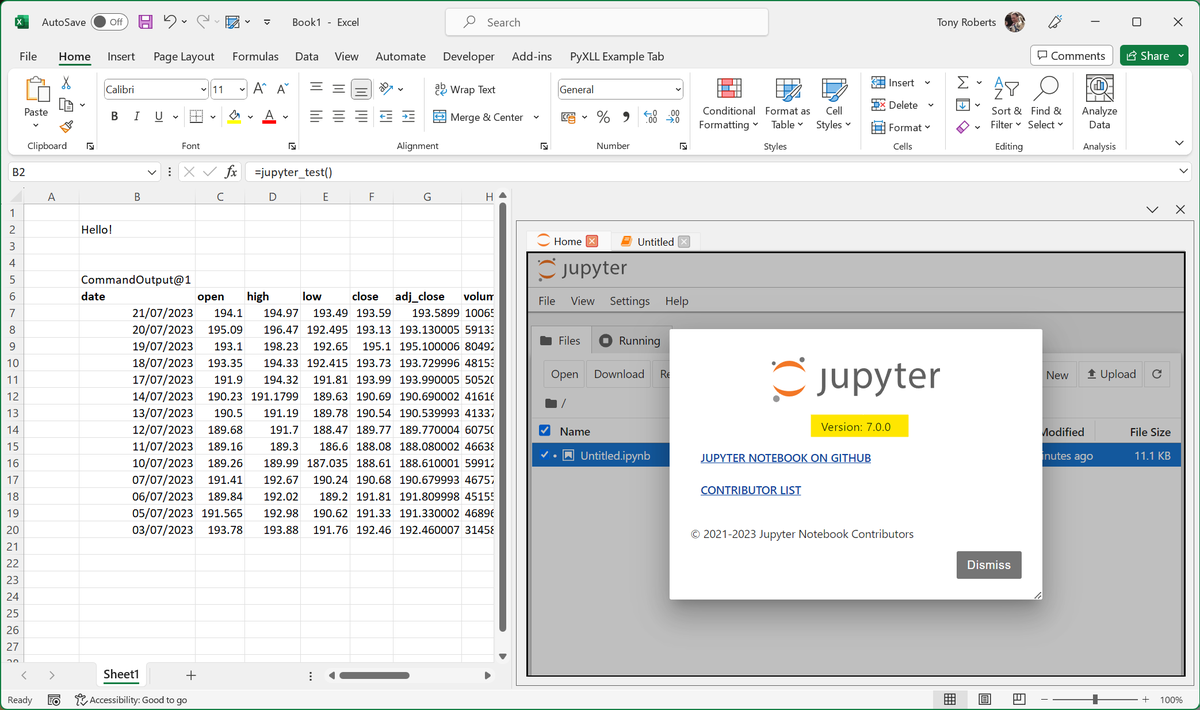
Jupyter Notebook 7.0.0 in Excel with PyXLL! Latest version available from PyPI pypi.org/project/pyxll-… #pyxll #msexcel #jupyter #excel

Jupyter Notebook 7.0.0 in Excel with PyXLL! Latest version available from PyPI pypi.org/project/pyxll-…
#pyxll #msexcel #jupyter #excel
PyXLL (@pyxll) 's Twitter Profile Photo

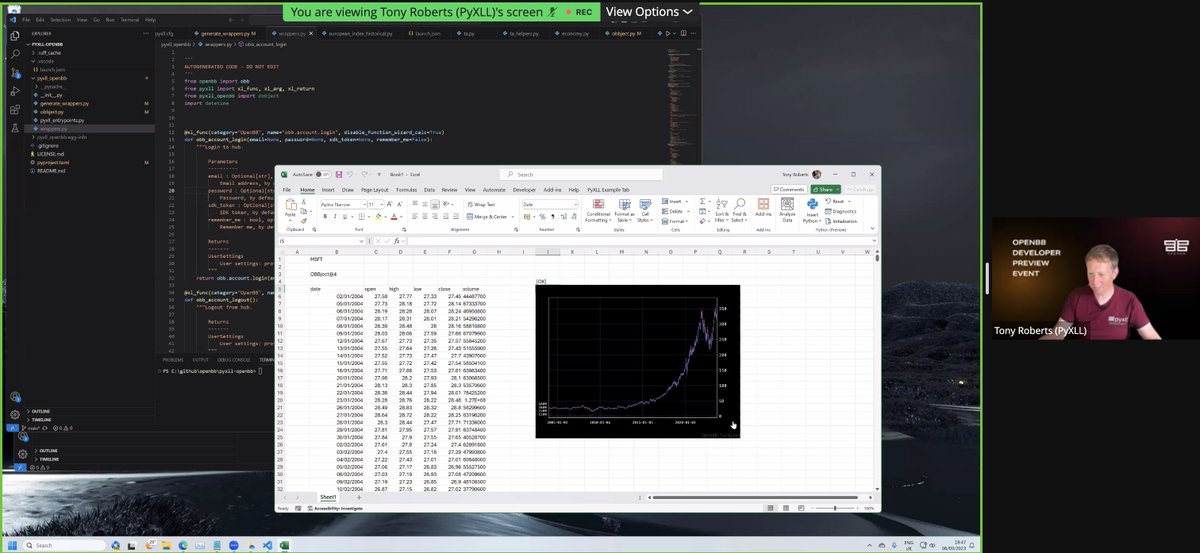
OpenBB for Microsoft Excel? Yes, it is possible! The entire OpenBB SDK can be called from Excel using the PyXLL Excel add-in! Check out the video below. Comment below or get in touch for details. OpenBB #python #msexcel #pyxll youtu.be/UG7rdoCh734

PyXLL (@pyxll) 's Twitter Profile Photo

Is something going on with Python in Excel? 🤔 PyXLL downloads are up 4000%! 🤯 To really use Python in Excel (not just Python snippets in cells) using your own local Python (import whatever you like) take a look at pyxll.com #pythoninexcel #python #pyxll

PyQuant News 🐍 (@pyquantnews) 's Twitter Profile Photo

Python is embedded in Excel. And it's a disappointment. And no one can take it seriously. If you need to use Python in Excel, you don't need MSFT's version that runs in their own Azure container... You need PyXLL:

Python is embedded in Excel.

And it's a disappointment.

And no one can take it seriously.

If you need to use Python in Excel, you don't need MSFT's version that runs in their own Azure container...

You need PyXLL:
OpenBB 🦋 (@openbb_finance) 's Twitter Profile Photo

For ages, financial analytics has been a difficult and expensive process of copying, transposing, etc. That ends now. OpenBB SDK v4 is here!

Didier Lopes (@didier_lopes) 's Twitter Profile Photo

PyXLL talking about what you can do with our new OBBject on Excel. 🤯 You can even get OpenBB charts on Excel. Seamless. Strap in.

<a href="/pyxll/">PyXLL</a> talking about what you can do with our new OBBject on Excel. 🤯

You can even get OpenBB charts on Excel. Seamless.

Strap in.
PyQuant News 🐍 (@pyquantnews) 's Twitter Profile Photo

If you're still working on the transition, PyXLL can help. I wrote about this tool a few weeks ago. It's a great product that embeds Python in Excel. Here's the link: x.com/pyquantnews/st…

PyXLL (@pyxll) 's Twitter Profile Photo

Check out this article on Python in Excel from AlgoTrading101! 🐍 Igor's article offers an overview of both Python in Excel and PyXLL, and a balanced comparison of the two 👏 algotrading101.com/learn/python-e…

PyXLL (@pyxll) 's Twitter Profile Photo

🐍📊Explore the power of Python in Excel for YouTube Data Research using PyXLL. Uncover seamless integration, dynamic insights, and interactive analysis. Elevate your content strategy! 🎬💡pyxll.com/blog/python-in… #Python #Excel #DataScience #PyXLL #YouTubeResearch #PythonInExcel

PyXLL (@pyxll) 's Twitter Profile Photo

Doom in Excel!? Check out this video to see it working and find out how youtu.be/m3K7wUTX-SY?si… #doom #msexcel #python #pythoninexcel #pyxll

PyXLL (@pyxll) 's Twitter Profile Photo

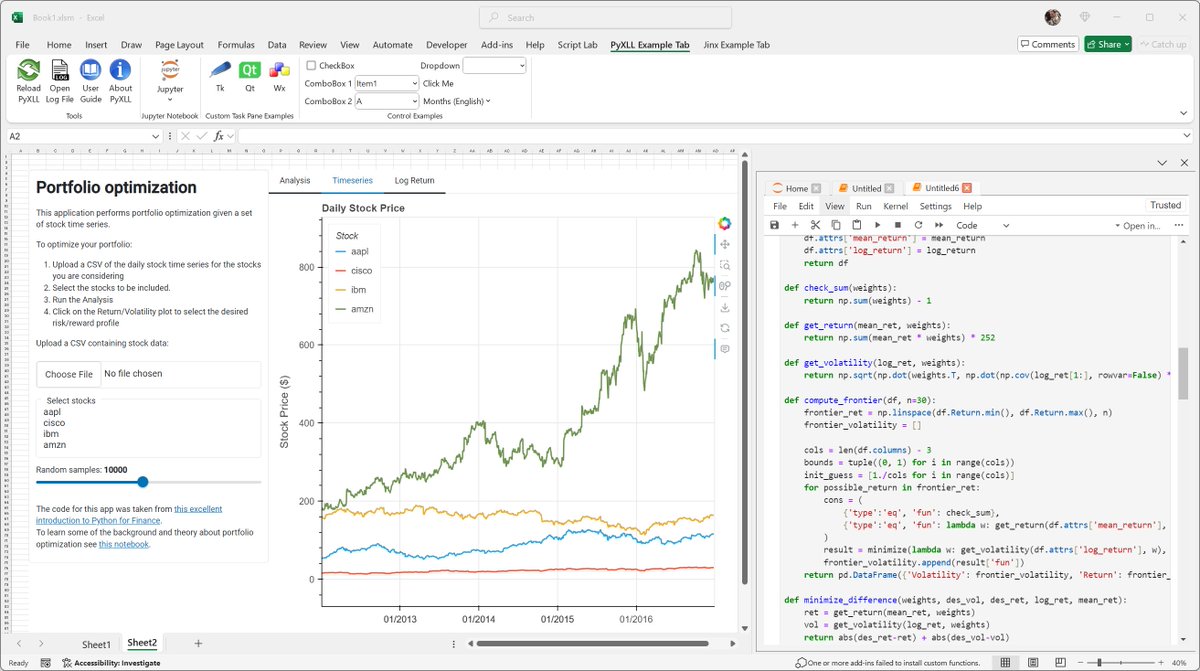
New for Excel - interactive HoloViz plots and panels! Display UI elements built using HoloViz and Panel directly in Excel as part of your Excel workflow and dashboards with PyXLL. See github.com/pyxll/pyxll-ho… for details, as well as pyxll.com

New for Excel - interactive HoloViz plots and panels! Display UI elements built using <a href="/HoloViz_org/">HoloViz</a> and <a href="/Panel_org/">Panel</a> directly in Excel as part of your Excel workflow and dashboards with PyXLL. See github.com/pyxll/pyxll-ho… for details, as well as pyxll.com