Leah Tran (@leaht_17) 's Twitter Profile
Leah Tran

@leaht_17

Product Manager @Microsoft | #VisualStudio

ID: 1588297235652956160

calendar_today03-11-2022 22:31:41

45 Tweet

107 Takipçi

35 Takip Edilen

Microsoft Visual Studio (@visualstudio) 's Twitter Profile Photo

🎉 GitHub Copilot for Visual Studio is now FREE! 🎉 Get 2,000 completions and 50 chat messages per month, plus access to Claude 3.5 Sonnet and GPT-4o. Check out our latest blog post for more info: msft.it/6011UMrGf

🎉 GitHub Copilot for Visual Studio is now FREE!  🎉

Get 2,000 completions and 50 chat messages per month, plus access to Claude 3.5 Sonnet and GPT-4o. Check out our latest blog post for more info: msft.it/6011UMrGf
Aaron Yim (@aaronyim) 's Twitter Profile Photo

Chat is essential. Code generation is powerful. Iteration is key. Copilot Edits in VS2022 gives you a whole new way to work with AI. Iterate on code across multiple files, review in-line with all your context & stay flexible with checkpoints. devblogs.microsoft.com/visualstudio/i…

Mads Kristensen (@mkristensen) 's Twitter Profile Photo

Talking to the product manager for the Visual Studio editor, I just learned about Ctrl+Shift+Up/Down arrow. It moves to the next/previous reference to the symbol. How did I never know about this!?!

Microsoft Visual Studio (@visualstudio) 's Twitter Profile Photo

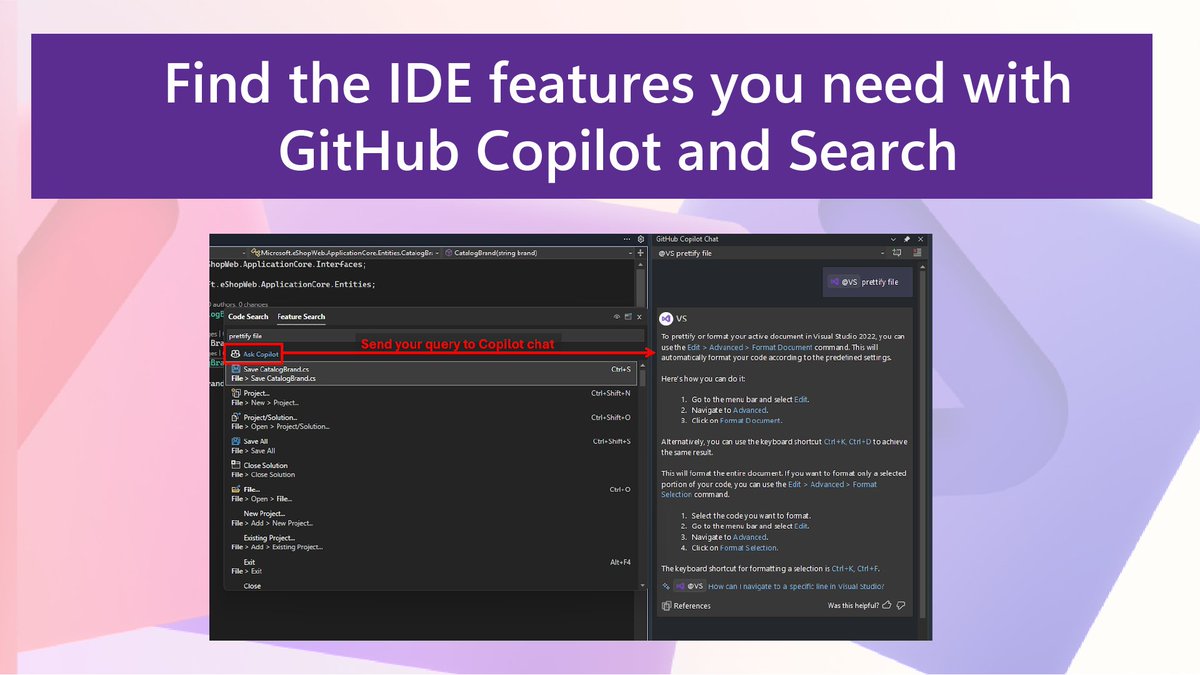
Discover IDE features with GitHub Copilot Chat in Visual Studio! Streamline your coding and boost productivity right in your workflow. Check it out. 📖 msft.it/6015qsXdX

Discover IDE features with GitHub Copilot Chat in Visual Studio! Streamline your coding and boost productivity right in your workflow. Check it out. 📖 msft.it/6015qsXdX
James Montemagno (@jamesmontemagno) 's Twitter Profile Photo

So many amazing new features in Visual Studio for #GitHubCopilot 🎹 Adaptive Paste ⏭️ Next Edit Suggestions 🆕 New completion models ➕Lots more! Check it out: youtube.com/watch?v=Cg5RC2… #visualstudio #dotnet


Mads Kristensen (@mkristensen) 's Twitter Profile Photo

This is such a cool feature that just landed in Visual Studio Preview. Check it out! devblogs.microsoft.com/visualstudio/e…

Microsoft Visual Studio (@visualstudio) 's Twitter Profile Photo

🎤 Etienne Baudoux from Visual Studio is leading 2 sessions at VSLive! Redmond: 1.GitHub Copilot 2. Code Editor of Visual Studio Register: aka.ms/VSLiveHQ Discount Code: VSLIVEHQ25 🤝 Meet the other devs: youtube.com/watch?v=LnvSA5…

Microsoft Visual Studio (@visualstudio) 's Twitter Profile Photo

Visual Studio 2026 Insiders Release just dropped! ⚡️ Faster startup, smarter AI agents, modern UI, and seamless upgrades. Try the future of coding—download now and let us know what you think! 🔗 msft.it/6018sirKn #VisualStudio

Visual Studio 2026 Insiders Release just dropped!
⚡️ Faster startup, smarter AI agents, modern UI, and seamless upgrades.
Try the future of coding—download now and let us know what you think!
🔗 msft.it/6018sirKn
#VisualStudio
Microsoft Visual Studio (@visualstudio) 's Twitter Profile Photo

🚀 Visual Studio 2026 is LIVE! Faster. Smarter. AI-native. ✅ 4,700 bugs fixed ✅ 300 new features ✅ Blazing-fast performance Learn more, upgrade now, and experience the future of development 👉 msft.it/6018tMUkM #VisualStudio2026 #AI

Mads Kristensen (@mkristensen) 's Twitter Profile Photo

Are you taking advantage of the latest Git features in Visual Studio to really streamline your workflow? devblogs.microsoft.com/visualstudio/s…

Microsoft Visual Studio (@visualstudio) 's Twitter Profile Photo

...just dropped a new episode today. Visual Studio Toolbox Leah Tran show us how Visual Studio’s Git tools save you time in your daily grind. We explore: Leah joins to show how Visual Studio’s Git tools save you time in your daily grind. - Managing branches - Viewing previous

...just dropped a new episode today. Visual Studio Toolbox Leah Tran show us how Visual Studio’s Git tools save you time in your daily grind. We explore:
Leah joins to show how Visual Studio’s Git tools save you time in your daily grind.
- Managing branches
- Viewing previous
Mads Kristensen (@mkristensen) 's Twitter Profile Photo

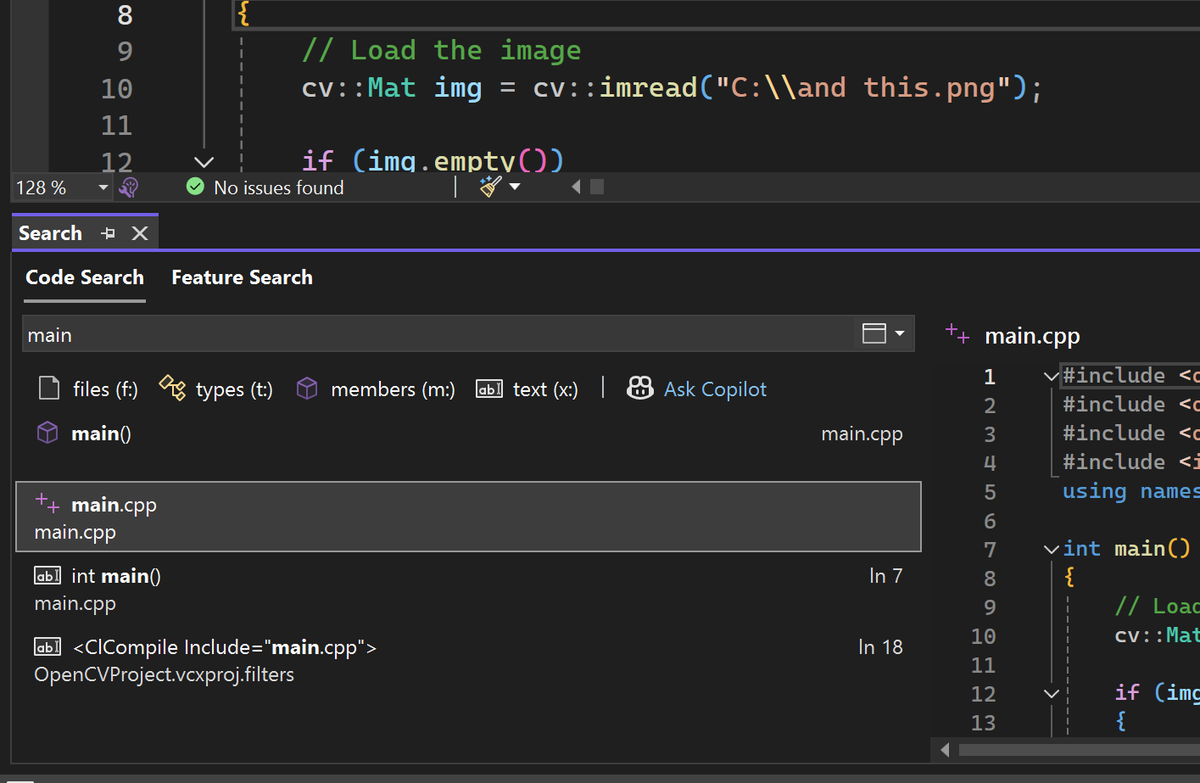
When doing code search (Ctrl+T) in Visual Studio, do you need/want/use the document preview that shows at the bottom of the search results? (see next comment for screenshot)