David Conger (@dcongermsft) 's Twitter Profile
David Conger

@dcongermsft

Making 💎 at @Microsoft | aka @dcongerphoto, @dcongerprints

ID: 1312514310938128384

calendar_today03-10-2020 22:06:57

1,1K Tweet

243 Takipçi

245 Takip Edilen
Microsoft OneNote (@msonenote) 's Twitter Profile Photo

🚀 Introducing Copilot Notebooks in OneNote! Bring all your content from across your account into one intelligent space in OneNote. Ask questions, gain insights, and draft using your curated content. Coming soon! Learn more: msft.it/6016Se95G

Microsoft Loop (@microsoftloop) 's Twitter Profile Photo

Did you know Copilot Notebooks can give you an audio overview? Yes, like a podcast but for your work. Pop in some headphones and get up to speed 🎧

Josh Cook | Microsoft MVP (@flowaltdelete) 's Twitter Profile Photo

Just messed around with Copilot Notebooks, dropped at Build 2025. This thing’s NEXT LEVEL. You can lock in custom instructions—just like ChatGPT Projects—to keep it sharp and bold. But the craziest feature: "Play Audio." It auto-generates a whole podcast episode from ALL your

Vertical Bar Media (@verticalbarmed) 's Twitter Profile Photo

#Microsoft has integrated Microsoft 365 Copilot Notebooks into OneNote, providing enterprise users with #AI-powered organizational tools to consolidate notes, files, and AI-generated insights within a single workspace. medium.com/@spence7890/mi…

Andrew Balzer (@alphabalzer) 's Twitter Profile Photo

📝 Got OneNote? Now you’ve got Microsoft 365 Copilot Notebooks, too. Ask questions, get insights, and organise your ideas in one smart space. Available now in OneNote on Windows. 🔗 msft.it/6013Stk8v #Microsoft365Copilot #OneNote #Microsoft365

📝 Got OneNote? Now you’ve got Microsoft 365 Copilot Notebooks, too.

Ask questions, get insights, and organise your ideas in one smart space.

Available now in OneNote on Windows. 🔗 msft.it/6013Stk8v
 
#Microsoft365Copilot #OneNote #Microsoft365
Microsoft 365 Insider (@msft365insider) 's Twitter Profile Photo

📒 Microsoft 365 Copilot Notebooks are now in OneNote on Windows. Gather content, ask questions, and generate summaries with AI in a dedicated workspace. Try it out. msft.it/6016SQaYj .

Microsoft 365 Insider (@msft365insider) 's Twitter Profile Photo

📒 Microsoft 365 Copilot Notebooks give OneNote users a new way to work. Use AI to collect content, summarize notes, and generate insights in one focused space. Now available in OneNote on Windows. 🔗 msft.it/6015SvCZF #Microsoft365Copilot

Microsoft OneNote (@msonenote) 's Twitter Profile Photo

🎉 Say hello to Copilot Notebooks in OneNote! Pull in Word documents, PowerPoint decks, and Copilot chats to craft summaries and meeting agendas without leaving the app. 🔗 Learn more about Copilot Notebooks here: msft.it/6019SIEhN

Microsoft 365 Insider (@msft365insider) 's Twitter Profile Photo

📝 Got OneNote? Now you’ve got Microsoft 365 Copilot Notebooks, too. Ask questions, get insights, and organize your ideas in one smart space. Available now in OneNote on Windows. 🔗 msft.it/6015SL6jc #Microsoft365Copilot #OneNote #Microsoft365

Microsoft OneNote (@msonenote) 's Twitter Profile Photo

🧠 Work smarter with Copilot Notebooks in OneNote — your new AI-powered space to think, organize, and create. Bring all your content together and let Copilot help you get to insights, faster. Learn more: msft.it/6010S2I5K

Josh Cook | Microsoft MVP (@flowaltdelete) 's Twitter Profile Photo

Surveys Agent just landed in Microsoft 365 Copilot (Frontier) 🔥🚀 Make a survey in one prompt. Share it via Teams, email, QR or a link. AI reads the replies, spots trends, and tells you what to ask next. If you run feedback, TEST THIS.

Surveys Agent just landed in Microsoft 365 Copilot (Frontier) 🔥🚀

Make a survey in one prompt. Share it via Teams, email, QR or a link.

AI reads the replies, spots trends, and tells you what to ask next.

If you run feedback, TEST THIS.
Ota Hirofumi (@hrfmjp) 's Twitter Profile Photo

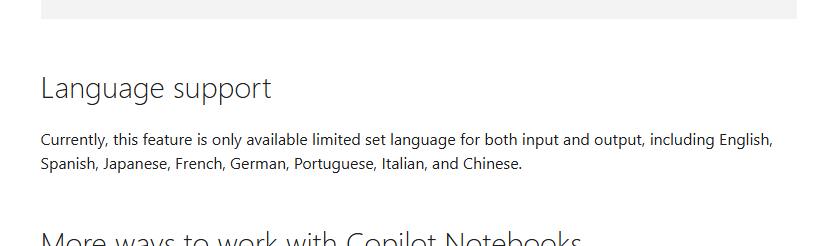
なにー!Microsoft 365 Copilot のノートブックの音声概要機能って、いつの間にか日本語にも対応してたのか!情報をまとめてもらって音声で聞けるって面白い! #o365jp #m365jp #Copilot support.microsoft.com/en-us/topic/ge…

なにー!Microsoft 365 Copilot のノートブックの音声概要機能って、いつの間にか日本語にも対応してたのか!情報をまとめてもらって音声で聞けるって面白い! #o365jp #m365jp #Copilot support.microsoft.com/en-us/topic/ge…
David Conger (@dcongermsft) 's Twitter Profile Photo

Love all the great content being produced that highlights how you can use Copilot Notebooks in nearly any role! 📘💜🤖

David Conger (@dcongermsft) 's Twitter Profile Photo

Was chatting with some users today and wanted to reiterate a previous annoucement Copilot Notebooks supports up to 100 files for focusing Copilot on your project or task. techcommunity.microsoft.com/blog/microsoft…

David Conger (@dcongermsft) 's Twitter Profile Photo

Love using Facilitator. It takes great notes so I don't have to. And I can easily grab a link to the page it creates and drop it into my Copilot Notebooks, especially where there is information to ground my project on for my future work with Copilot. 🤖💜📒

David Conger (@dcongermsft) 's Twitter Profile Photo

Another great scenario for Copilot Notebooks. Plus taking that information into Copilot Pages and even collaborate with others too.

David Conger (@dcongermsft) 's Twitter Profile Photo

No need to leave Copilot Notebooks when you want to use Researcher. You can switch from chatting with your Notebook to using Researcher with just a click. And when you make the response into a Copilot Page, it is automatically a part of the Notebook (like the chat session) 📔💜

David Conger (@dcongermsft) 's Twitter Profile Photo

Make sure your AI gets to have a bit of fun too! Some icons related to Copilot Notebooks and the grounding types supported, plus ideas about representing how Copilot Notebooks stay focused on what matters to your project made for some fun animations. This was my favorite💜

Microsoft Loop (@microsoftloop) 's Twitter Profile Photo

⭐️ Your work doesn't happen in a single chat. It spans months, files, meetings, and decisions. Meet the updated Copilot Notebooks experience, a persistent AI workspace that grows with your project. 🎧 Audio Overviews. Flashcards. Shared notebooks. All grounded in your content.