Consoletrainer (@consoletrainer) 's Twitter Profile
Consoletrainer

@consoletrainer

Training Resources for grandMA and Wholehog consoles

ID: 33975672

linkhttp://youtube.com/consoletrainer calendar_today21-04-2009 17:39:09

126 Tweet

130 Followers

58 Following

Consoletrainer (@consoletrainer) 's Twitter Profile Photo

Sequences fundamentally changed in #grandMA3: let’s go over how that changes our workflow and talk about how we store, edit and manipulate cues (and part cues!) in our Sequences. There’s new stuff like Mirror Sequences, new MIB options and more. youtu.be/zbSfC-gT8o4

Consoletrainer (@consoletrainer) 's Twitter Profile Photo

The new #grandMA3 tracking options include Tracking Distance, Assert + Release on a cue in a Sequence, and a bunch of new Copy Cue options. youtu.be/-Zj6uotyNd8

Consoletrainer (@consoletrainer) 's Twitter Profile Photo

Executor Hardware in #grandMA3 has new Assignment Options beyond just being able to change the height. Let's look at some new Special Masters like Blind/ Highlight + Solo. We'll also revisit Group Masters + check out the Scaling option (which I❤️). youtu.be/FB8rr0f1OrE

Consoletrainer (@consoletrainer) 's Twitter Profile Photo

New video: #grandma3 Presets I'll show you a couple of examples of how some new options like Preset Part configurations + Recast are working; what to watch out for in each, + also talk about some ideas of how I hope they may be updated in future versions. youtu.be/aRNMNShn6Uo

Consoletrainer (@consoletrainer) 's Twitter Profile Photo

Let me show you what #grandma3 MAgic presets do, how to create them, how they work when they’re stored to a cue, & how to get around them putting hard values in your cues. 🤮 youtu.be/dLevXXkdMM8

Consoletrainer (@consoletrainer) 's Twitter Profile Photo

#grandMA3​ Recipes are new to us, and they're also brand new to the OS. So, there's a lot to learn about how to create them, where to store them, when to cook them and how to use them in cues. I'll also show you how to create a recipe "template" preset. youtu.be/6SvgNh--i7Y

Consoletrainer (@consoletrainer) 's Twitter Profile Photo

This time, it's #grandma3 Recipes in the Programmer + Cues. There are benefits to putting your recipes directly in the cues instead of a preset- especially if you think you'll be changing the groups of fixtures used in your recipes. youtu.be/2XMKz8boKSI

Consoletrainer (@consoletrainer) 's Twitter Profile Photo

Let's check out the new #grandMA3 cloning process that's all done in the patch. It's quick, but it does require some updating. I'll point out what you should look for after the clone and also talk about cloning to different fixture types. youtu.be/kClN7GOpSwQ

Consoletrainer (@consoletrainer) 's Twitter Profile Photo

Part 1 of my #grandma3 timecode tutorials is a quickstart to get you recording your own timecoded playback. Part 2 will go more in depth into editing and also cover markers and the new time ranges. youtu.be/Qn2enP0AquY

Consoletrainer (@consoletrainer) 's Twitter Profile Photo

Part 2 of my #grandma3 timecode tutorial is all about editing. We'll use editing tools in the toolbar + the encoder wheels- with both the Timeline + Text Views. I'll also show you how to add/edit Markers or Time Ranges, and what they can do. youtu.be/6g448yY5TZg

Consoletrainer (@consoletrainer) 's Twitter Profile Photo

Super Quick Video Tip: We all need to update the thumbdrives we use for #grandMA3 when we move from software v1.4 to 1.5. I'll show you what's changed and where you now want to drop items that you import: like images. youtu.be/qw1QHpk0YY0

Consoletrainer (@consoletrainer) 's Twitter Profile Photo

Here's a few ways to use your existing presets to create easily updated defaults or highlight/lowlight settings on #grandMA3.🍕youtu.be/et-DT8UHmZ0

Consoletrainer (@consoletrainer) 's Twitter Profile Photo

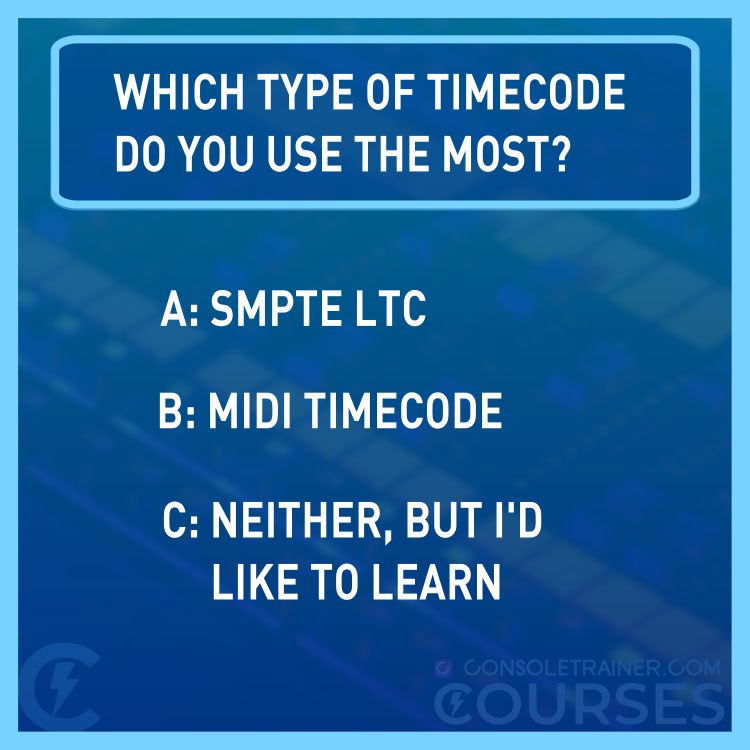
I use SMPTE on 90% of the tours I program, but I'm curious about what you guys use? Or, if you don't yet use timecode- are you interested in starting? #smptetimecode #miditimecode

I use SMPTE on 90% of the tours I program, but I'm curious about what you guys use? 

Or, if you don't yet use timecode- are you interested in starting?
#smptetimecode #miditimecode
Consoletrainer (@consoletrainer) 's Twitter Profile Photo

My first Consoletrainer Course is coming this week. I can't wait to share it with you. #consoletrainer #consoletrainercourses #smptetimecode #miditimecode fb.watch/bjtJJczjrX/

Consoletrainer (@consoletrainer) 's Twitter Profile Photo

My first course is now in Presale for 50% off until the launch on March 1! Need to learn how to timecode your lighting cues? I got you. courses.consoletrainer.com This is the first class in my new training Consoletrainer Courses platform. youtu.be/fHYhsHX71HA

Consoletrainer (@consoletrainer) 's Twitter Profile Photo

Presale offer ends March 1. Learn #smptetimecode and #miditimecode programming from Consoletrainer and get your course certificate at completion. #consoletrainercourses

Consoletrainer (@consoletrainer) 's Twitter Profile Photo

⚡ Today is the last day to get 50% off my Timecode Course! ⚡ Thank you to everyone who already registered. Grab the presale rate at courses.consoletrainer.com #consoletrainer #consoletrainercourses #smptetimecode #miditimecode