LLAN (@_llandan) 's Twitter Profile
LLAN

@_llandan

Enjoy 3D Art, work in Rigging and Programming.

ID: 3065510939

linkhttp://www.artstation.com/lanyuhao calendar_today01-03-2015 10:57:14

142 Tweet

311 Followers

257 Following

LLAN (@_llandan) 's Twitter Profile Photo

I may adjust the sales plan of Anitools during the next update. For those who have already purchased it, it is definitely a great benefit. Obviously, I won't let the early purchasers suffer. If someone wants to buy but hasn't bought it yet, my suggestion is to buy it now.

LLAN (@_llandan) 's Twitter Profile Photo

Anitools has been updated to version v1.10! Increase the global animation Trail function that can be automatically updated. Enhanced the Track Offset function. Camera and Manage modules, have been added. Enhanced the Tunnel function. #C4D #cinema4d vimeo.com/556044052

LLAN (@_llandan) 's Twitter Profile Photo

Anitools v1.10 increased the global animation Trail function that can be automatically updated, You can see the motion trajectory of the animation very intuitively, which is very important for character animation! #C4D #cinema4d

LLAN (@_llandan) 's Twitter Profile Photo

Anitools v1.10 enhanced the Track Offset function, Now it can be said to be a must-have artifact for this kind of offset animation! #C4D #cinema4d

LLAN (@_llandan) 's Twitter Profile Photo

Because I feel that I usually switch cameras too often, I also added two camera-related small functions in this Anitools v1.10 update to speed up efficiency. #c4d #cinema4d

LLAN (@_llandan) 's Twitter Profile Photo

I packaged some free C4D plug-ins I wrote before into a pack. There are modeling plug-ins, animation plug-ins, Time-saving plugin plug-ins... Maybe there are just the plug-ins you need now, come download it!😉 llandesign.gumroad.com/l/c4dfree #c4d #cinema4d

LLAN (@_llandan) 's Twitter Profile Photo

Please note this: C4D R25 cancels the Timeline, Timeline(2) identification. The original Timeline is actually hidden near the far left side of the time slider. Shift+F3 changed from the original Timeline to Timeline(2).

Please note this: C4D R25 cancels the Timeline, Timeline(2) identification.
The original Timeline is actually hidden near the far left side of the time slider.
Shift+F3 changed from the original Timeline to Timeline(2).
LLAN (@_llandan) 's Twitter Profile Photo

C4D Tip 2: Get great deformation animations with skinned FFD.✨ The joints rig is very free, we can design the corresponding controller and control logic according to our needs, and we can also get the different deformations we need at various stages of the animation. #C4D

C4D Tip 2: Get great deformation animations with skinned FFD.✨
The joints rig is very free, we can design the corresponding controller and control logic according to our needs, and we can also get the different deformations we need at various stages of the animation.
#C4D
LLAN (@_llandan) 's Twitter Profile Photo

I made Control Rig, animation system and physical effects manually in UE5. (Animation Retarget, Animation Blueprint, Control Rig, Physics Asset...) I also did character rendering and the like. . (Skinned the character with my own Maya rigging system) #UE5

LLAN (@_llandan) 's Twitter Profile Photo

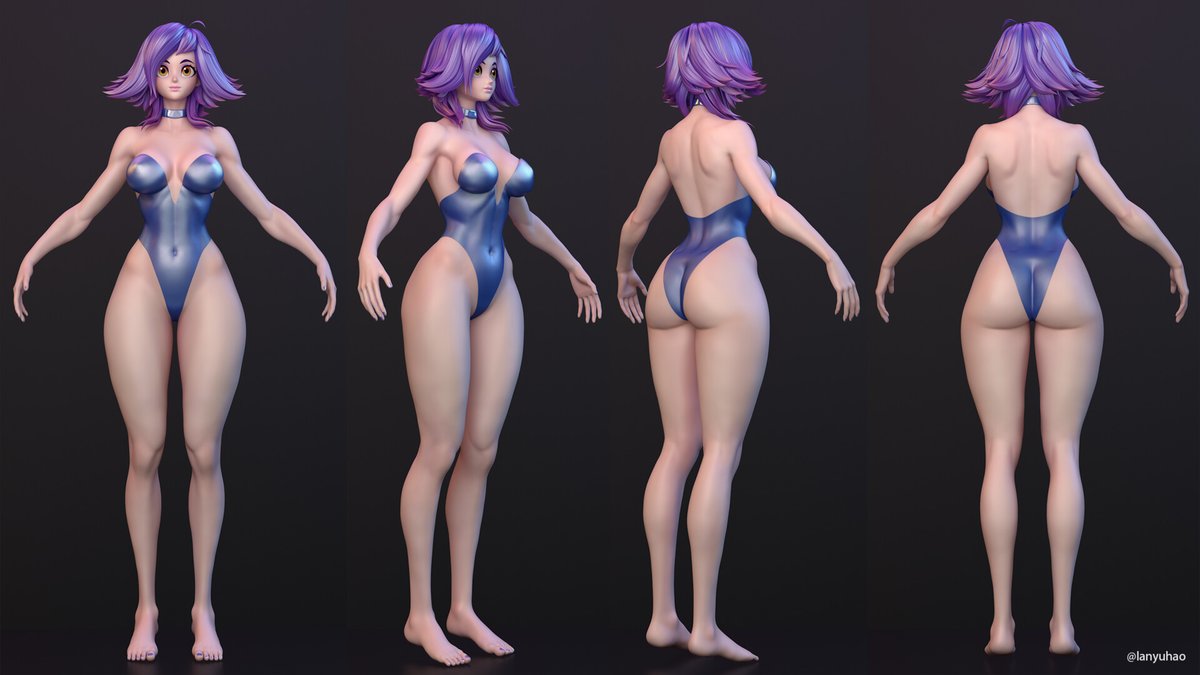
I've been practicing female sculpture, starting from a sphere and building muscle forms and characters. As someone with a technical background, creating art has been a challenge, but after investing a lot of time, I’ve made some progress. artstation.com/artwork/XJGNAy

I've been practicing female sculpture, starting from a sphere and building muscle forms and characters. As someone with a technical background, creating art has been a challenge, but after investing a lot of time, I’ve made some progress. artstation.com/artwork/XJGNAy