Jack Wotherspoon (@jackwoth98) 's Twitter Profile
Jack Wotherspoon

@jackwoth98

Gemini CLI and Python @Google 🐍✨

ID: 1862257064

calendar_today14-09-2013 01:16:22

134 Tweet

342 Followers

51 Following

N. Taylor Mullen (@ntaylormullen) 's Twitter Profile Photo

Current Gemini 3 + Gemini CLI status update. Still rolling out to Google AI Ultra (non-workspace) users & API key users. Hop on the wait list for the next wave! goo.gle/geminicli-wait…

Current Gemini 3 + Gemini CLI status update.

Still rolling out to Google AI Ultra (non-workspace) users & API key users.

Hop on the wait list for the next wave!
goo.gle/geminicli-wait…
Jack Wotherspoon (@jackwoth98) 's Twitter Profile Photo

Slight Google Antigravity easter egg within Gemini CLI 🥚 Since last week if you opened Gemini CLI inside of an IDE the startup graphic looked a tad bit different. Meant to look like it was levitating compared to the regular one 😅 Courtesy of N. Taylor Mullen being a trickster
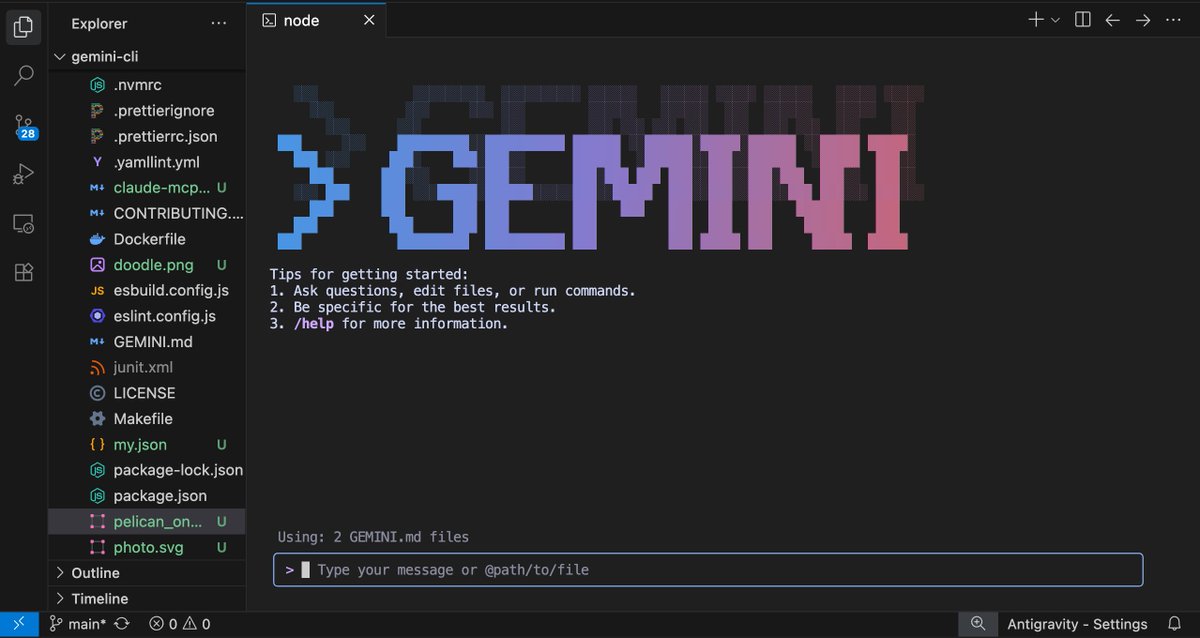

Slight <a href="/antigravity/">Google Antigravity</a> easter egg within Gemini CLI 🥚

Since last week if you opened Gemini CLI inside of an IDE the startup graphic looked a tad bit different.

Meant to look like it was levitating compared to the regular one 😅

Courtesy of <a href="/ntaylormullen/">N. Taylor Mullen</a> being a trickster
Google AI Developers (@googleaidevs) 's Twitter Profile Photo

From a prompt to a live 3D app. 🚀 Gemini 3 is now available in your terminal with Gemini CLI. Test its advanced agentic coding on your most ambitious ideas. Head to the blog to see 5 more prompts you can try!

Jack Wotherspoon (@jackwoth98) 's Twitter Profile Photo

My initial thoughts using Gemini 3 within Gemini CLI over the past few weeks... 🛠️ Tool calling is much much better. You don't have to say "Use X tool" anymore, it is much more aware and intelligent at choosing the right tools. 1️⃣ Tasks are able to be done with a single prompt

Allen Hutchison (@allen_hutchison) 's Twitter Profile Photo

Have you ever wanted to access your google workspace data from Gemini CLI? Maybe a design doc or a note from a chat? There is now an extension to help with that: github.com/gemini-cli-ext…

Jack Wotherspoon (@jackwoth98) 's Twitter Profile Photo

Google AI Pro users, we heard you loud and clear! Hoping to have folks onboarded by the end of the weekend! Gemini 3 is coming your way.

Jack Wotherspoon (@jackwoth98) 's Twitter Profile Photo

Gemini CLI patch version v0.17.1 🖥️ Yesterday we released a patch that reverts our new UI rendering to have it disabled by default. We are going to polish up the scrolling and copy/paste as well as Windows support before we re-enable it. You can turn it back on in /settings.

Jack Wotherspoon (@jackwoth98) 's Twitter Profile Photo

Two big updates on Gemini CLI access to Gemini 3 📢 1️⃣ All paid plan users should now have access to Gemini 3 at this time. (including all Google AI Pro users) 2⃣ We have drastically raised the quota for AI Ultra subscribers (for individuals not business). Be sure to enable

Two big updates on Gemini CLI access to Gemini 3 📢

1️⃣ All paid plan users should now have access to Gemini 3 at this time. (including all Google AI Pro users)

2⃣ We have drastically raised the quota for AI Ultra  subscribers (for individuals not business).

Be sure to enable
Jack Wotherspoon (@jackwoth98) 's Twitter Profile Photo

Prototyping some quality of life upgrades to Gemini CLI slash command suggestion menu 📜 eric provencher how does this look to you? Enter on /about → executes (root command) Enter on /chat → auto-completes (has subcommand) Enter on /chat list → executes (subcommand) Commands with