Onecom Help (@onecomukhelp) 's Twitter Profile
Onecom Help

@onecomukhelp

Official home of Onecom's Customer Service team. We're here Mon-Fri, 9am-5pm. Feel free to drop us a tweet or DM. Latest news: @OnecomUK

ID: 1072215841

linkhttp://www.onecom.co.uk calendar_today08-01-2013 22:43:13

1,1K Tweet

210 Followers

3 Following
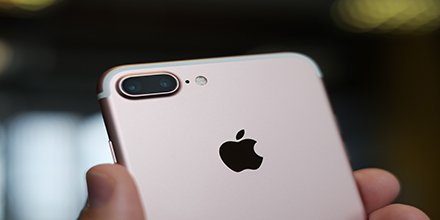
Onecom Help (@onecomukhelp) 's Twitter Profile Photo

If you're using your iPhone to film something, you can snap a photo at the same time! Tap the camera button next to the stop/start button as you film

If you're using your iPhone to film something, you can snap a photo at the same time! Tap the camera button next to the stop/start button as you film
Onecom Help (@onecomukhelp) 's Twitter Profile Photo

You can access the iOS symbol keyboard without swapping to it - tap and hold the 123 button and then slide to the symbol that you want to insert

You can access the iOS symbol keyboard without swapping to it - tap and hold the 123 button and then slide to the symbol that you want to insert
Onecom Help (@onecomukhelp) 's Twitter Profile Photo

To access Samsung's device settings from Quick Settings, drag down from the top of the screen and press and hold the shortcut

To access Samsung's device settings from Quick Settings, drag down from the top of the screen and press and hold the shortcut
Onecom Help (@onecomukhelp) 's Twitter Profile Photo

If you don't want lock screen notifications from a particular app on your Samsung device, go to Settings > Lock Screen and Security > Notifications

If you don't want lock screen notifications from a particular app on your Samsung device, go to Settings > Lock Screen and Security > Notifications