XEN Systems (@xensystems) 's Twitter Profile
XEN Systems

@xensystems

Inbound Marketing Agency for B2B Tech Companies. HubSpot Gold Partner. Co-host of @hubshots HubSpot podcast.

ID: 239677654

linkhttps://www.xen.com.au calendar_today18-01-2011 05:00:25

3,3K Tweet

706 Followers

90 Following
XEN Systems (@xensystems) 's Twitter Profile Photo

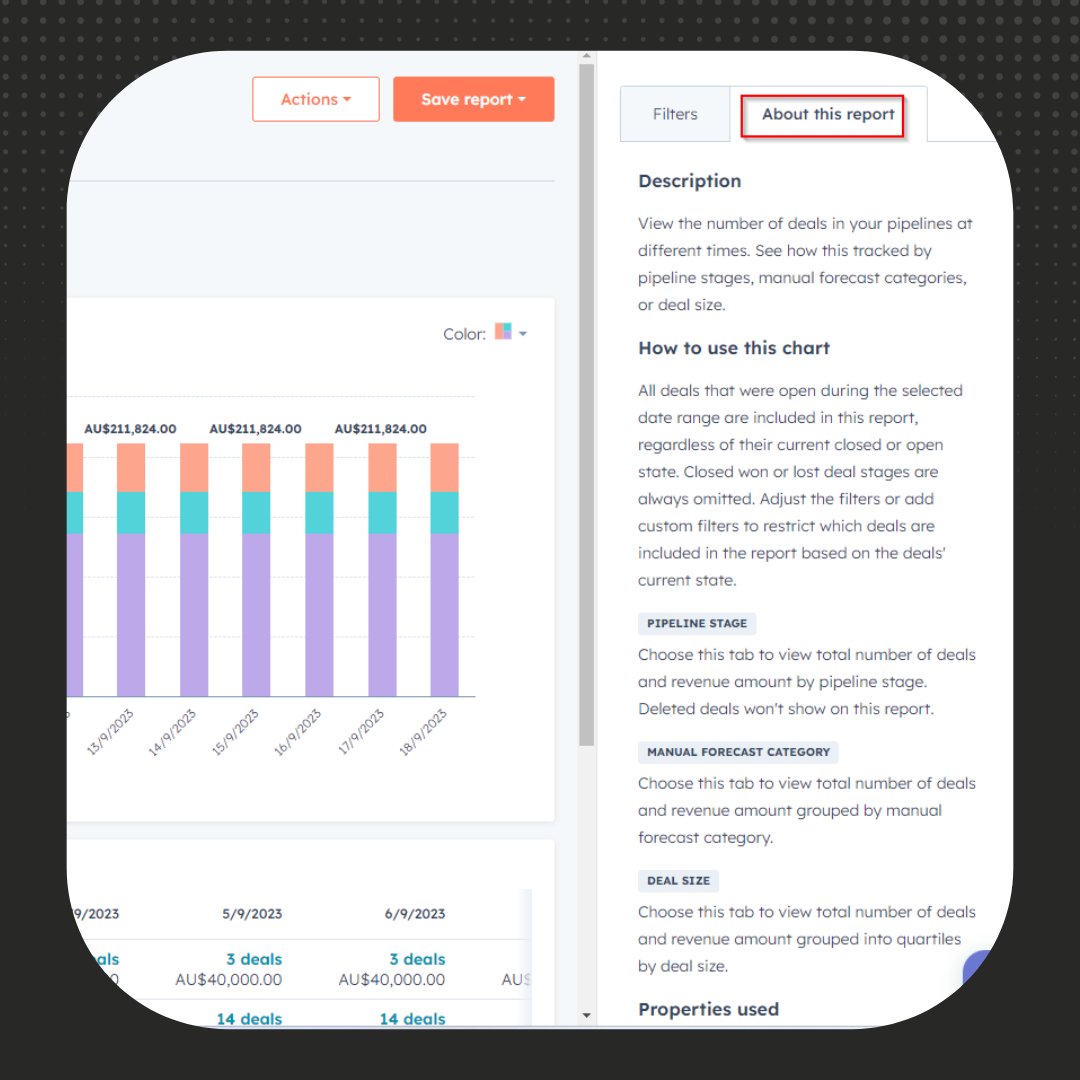
Does looking at your Sales Analytics reports overwhelm you? Check the 'About this report' tab for insights and to familiarise the reports. This will show you: - report description - properties used - definition of terms - and link to relevant HubSpot KB articles #HubSpot

Does looking at your Sales Analytics reports overwhelm you? Check the 'About this report' tab for insights and to familiarise the reports. This will show you:
- report description
- properties used
- definition of terms
- and link to relevant HubSpot KB articles

#HubSpot
XEN Systems (@xensystems) 's Twitter Profile Photo

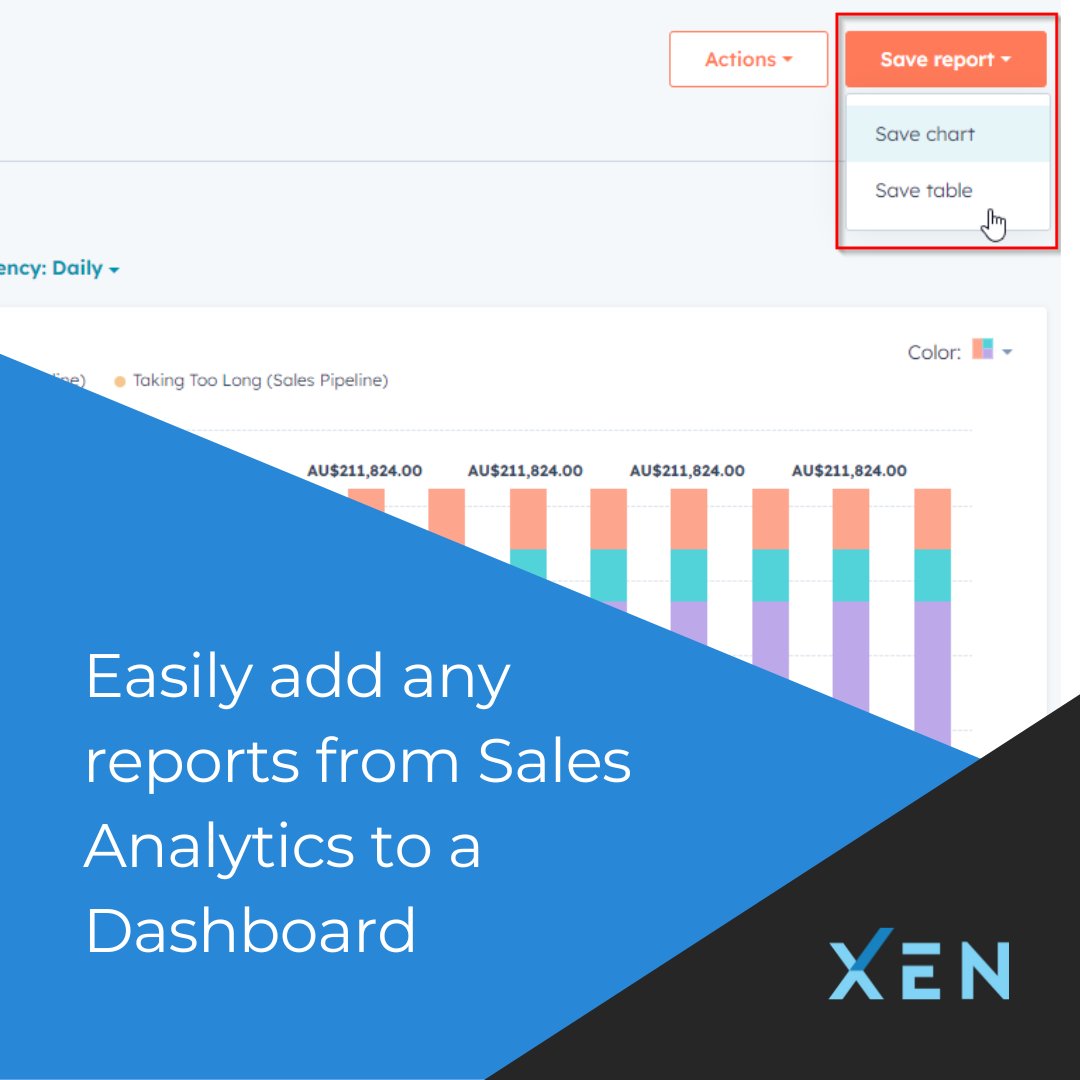
Quick #HubSpot tip: add key reports from the Sales Analytics to your desired Dashboard with a simple click on 'Save report' > 'Save chart' or 'Save table'. Benefit? Consolidate crucial sales data on one page and schedule the Dashboard to be emailed to specific users regularly.

Quick #HubSpot tip: add key reports from the Sales Analytics to your desired Dashboard with a simple click on 'Save report' > 'Save chart' or 'Save table'.

Benefit? Consolidate crucial sales data on one page and schedule the Dashboard to be emailed to specific users regularly.
XEN Systems (@xensystems) 's Twitter Profile Photo

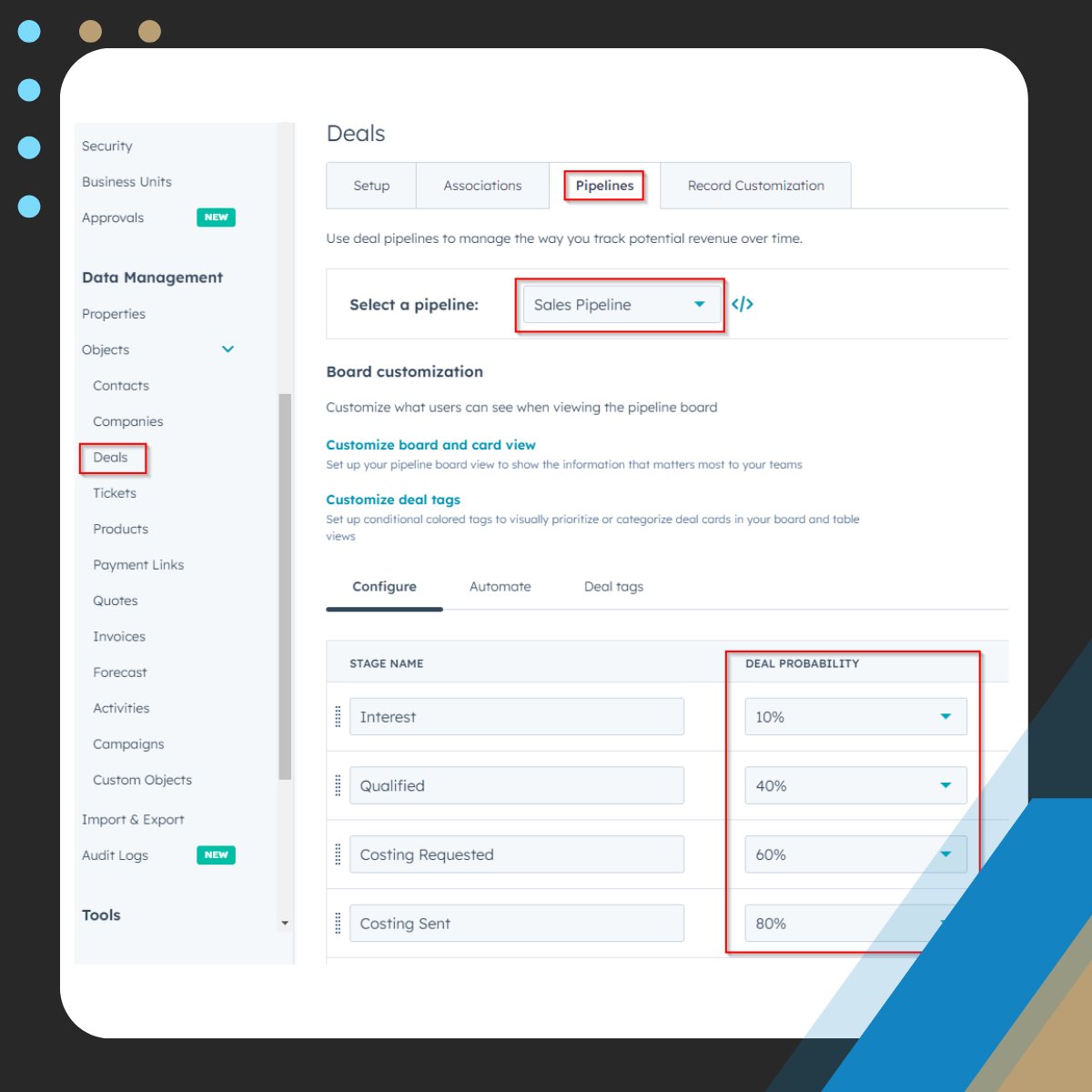
What is the weighted amount you see in a #HubSpot sales pipeline? A weighted amount is essentially a revenue forecast, calculated by multiplying the total deal amount and the probability percentage set for each stage. This provides you with a more realistic revenue forecast.

What is the weighted amount you see in a #HubSpot sales pipeline? 

A weighted amount is essentially a revenue forecast, calculated by multiplying the total deal amount and the probability percentage set for each stage. 

This provides you with a more realistic revenue forecast.
XEN Systems (@xensystems) 's Twitter Profile Photo

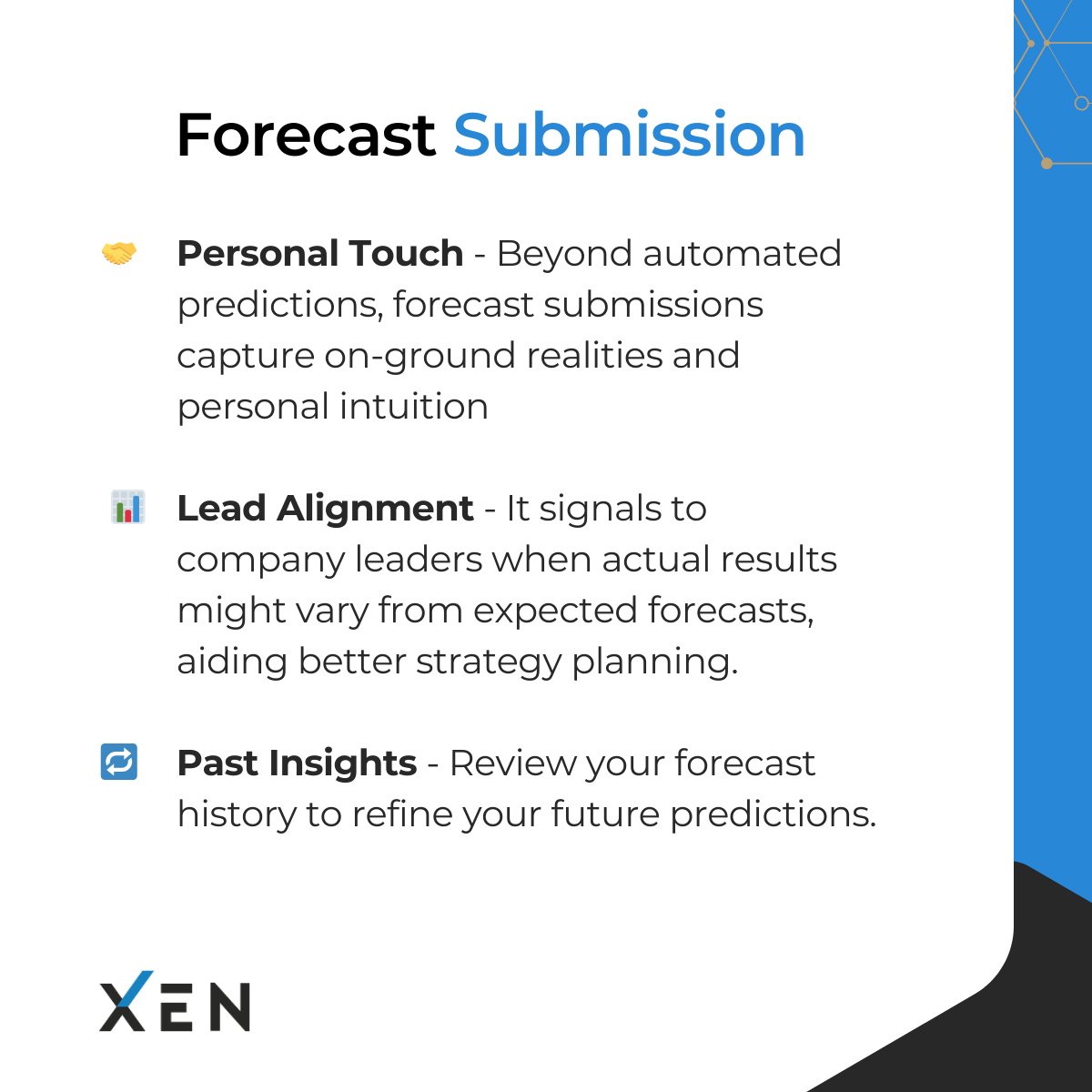
Forecast submissions are strategic insights; they represent a salesperson's personal prediction about the deals they'll close in a given period. So when setting up/updating your Forecast in #HubSpot, try incorporating forecast submission. Here's how this can benefit your team.

Forecast submissions are strategic insights; they represent a salesperson's personal prediction about the deals they'll close in a given period. 

So when setting up/updating your Forecast in #HubSpot, try incorporating forecast submission. Here's how this can benefit your team.
XEN Systems (@xensystems) 's Twitter Profile Photo

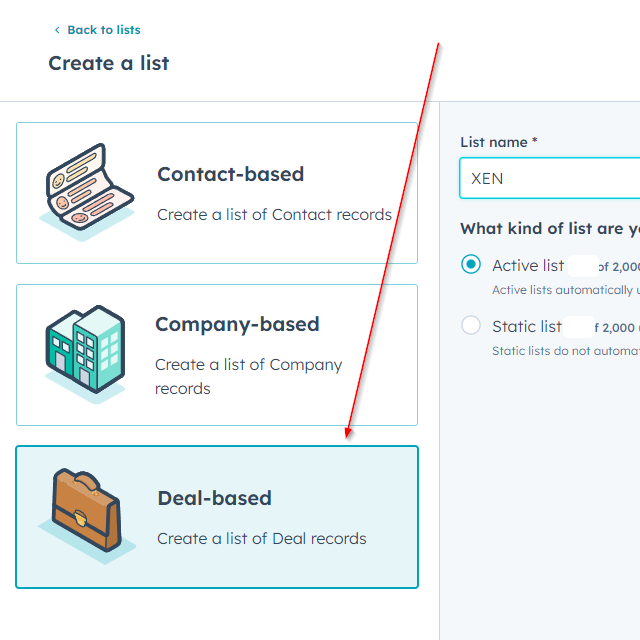
Deal Lists in HubSpot was launched last month - if you haven't explored it yet, now's the time. Tip: Use deal-based lists in Workflow triggers and Custom Reports filters. #HubSpot #HubSpotList

Deal Lists in HubSpot was launched last month - if you haven't explored it yet, now's the time. Tip: Use deal-based lists in Workflow triggers and Custom Reports filters.

#HubSpot #HubSpotList
XEN Systems (@xensystems) 's Twitter Profile Photo

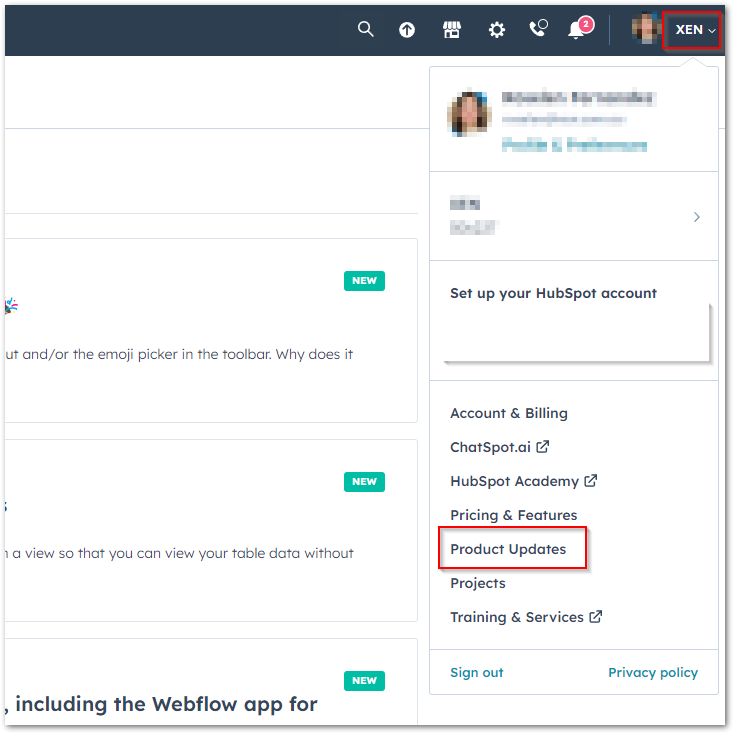
Stay updated with the latest #HubSpot releases and features by navigating to the 'Products and Updates' menu in your portal. You'll see all the recent updates and have the option to join betas! Alternatively, you can listen to #HubShots: hubs.ly/Q02352KV0

Stay updated with the latest #HubSpot releases and features by navigating to the 'Products and Updates' menu in your portal. You'll see all the recent updates and have the option to join betas! 

Alternatively, you can listen to #HubShots: hubs.ly/Q02352KV0
XEN Systems (@xensystems) 's Twitter Profile Photo

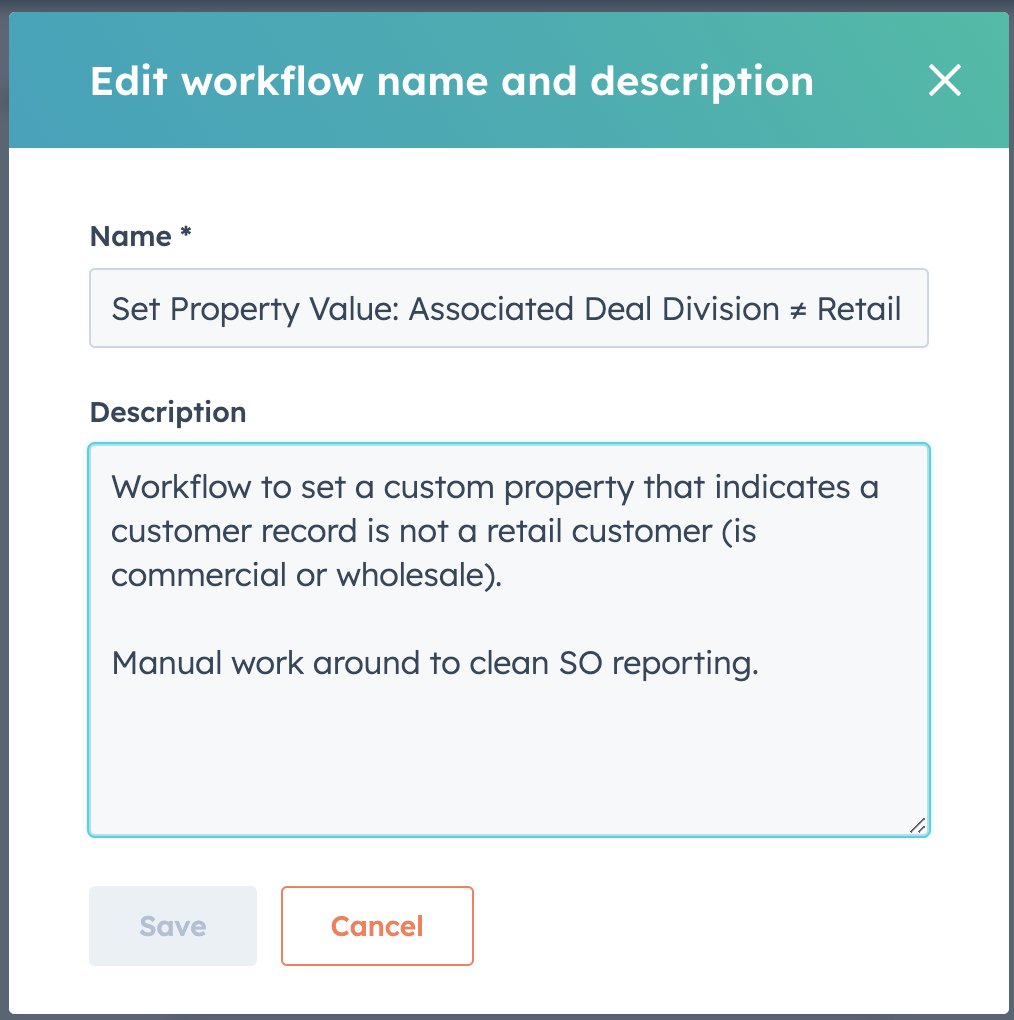
Workflow descriptions in HubSpot can save you time and provide clarity. Use them to note recent changes or key outcomes. #HubSpot

Workflow descriptions in HubSpot can save you time and provide clarity. Use them to note recent changes or key outcomes. #HubSpot
XEN Systems (@xensystems) 's Twitter Profile Photo

[Public beta] #HubSpot introduces a very handy feature reminiscent of Google Sheets: the ability to freeze the first column in your table views. As you scroll to the right, the primary column remains visible, anchoring your data and providing context. It's the little things! 👏

XEN Systems (@xensystems) 's Twitter Profile Photo

One of the features we consistently appreciate in #HubSpotCMS Hub is, you can easily build a full site on the temporary HubSpot domain before going live. Then, when going live you simply add the domain into HubSpot and point the DNS, and HubSpot takes care of the rest.

One of the features we consistently appreciate in #HubSpotCMS Hub is, you can easily build a full site on the temporary HubSpot domain before going live. Then, when going live you simply add the domain into HubSpot and point the DNS, and HubSpot takes care of the rest.
XEN Systems (@xensystems) 's Twitter Profile Photo

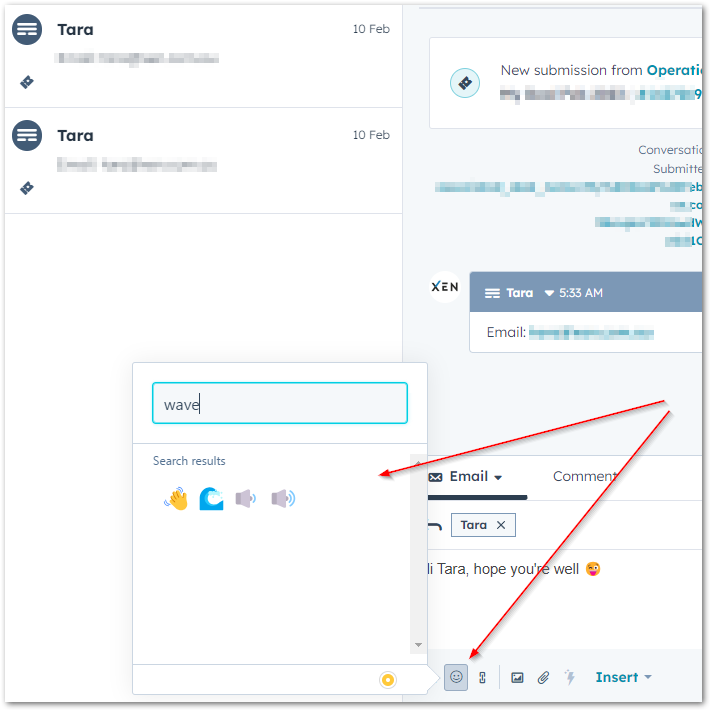
HubSpot's new feature allows users to easily add emojis directly in the Conversations Inbox. A small yet impactful way to personalise your messages. Again, it's the little things that make us happy! #HubSpot

HubSpot's new feature allows users to easily add emojis directly in the Conversations Inbox. A small yet impactful way to personalise your messages. Again, it's the little things that make us happy! 

#HubSpot
XEN Systems (@xensystems) 's Twitter Profile Photo

#HubSpot Workflow limitation we noticed - the 'increase or decrease property value' action is bound by the object-type of the Workflow. For instance, it's not possible for a Ticket/Deal-based Workflow to increase/decrease a Company property value. #HubSpotWorkflows

#HubSpot Workflow limitation we noticed - the 'increase or decrease property value' action is bound by the object-type of the Workflow.

For instance, it's not possible for a Ticket/Deal-based Workflow to increase/decrease a Company property value.

#HubSpotWorkflows
XEN Systems (@xensystems) 's Twitter Profile Photo

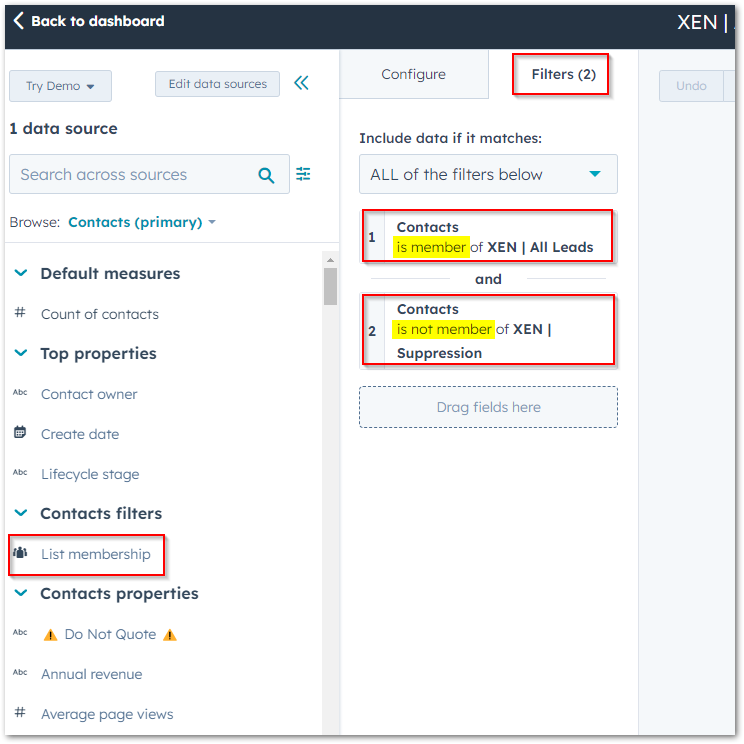
A clever way to set up your reports - utlise list membership for both inclusion and exclusion criteria. #HubSpotReport #HubSpot

A clever way to set up your reports - utlise list membership for both inclusion and exclusion criteria.
#HubSpotReport #HubSpot
XEN Systems (@xensystems) 's Twitter Profile Photo

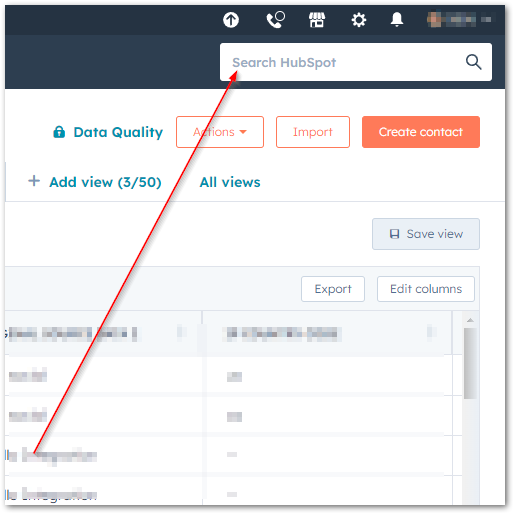
HubSpot has made the global search box much more prominent - take advantage of it by using it more frequently! Speed up your search for any of your HubSpot assets - from records, settings to workflows and more. #HubSpot

HubSpot has made the global search box much more prominent - take advantage of it by using it more frequently! Speed up your search for any of your HubSpot assets - from records, settings to workflows and more. #HubSpot
XEN Systems (@xensystems) 's Twitter Profile Photo

Testing this new beta Workflow feature: AI to generated descriptions within #HubSpot Workflows. If the first attempt doesn’t nail it, you can always re-generate a new one. Or tweak where needed. So use it as a starting point and tweak as necessary.

XEN Systems (@xensystems) 's Twitter Profile Photo

Testing HubSpot's new beta feature: 'Conditional Property Logic'! Think of it as the internal version of form dependent fields. While form's dependent fields are are meant for website visitors, Conditional Property Logic tailors the internal data entry process. #HubSpot

XEN Systems (@xensystems) 's Twitter Profile Photo

Encountered a #HubSpotBug with inaccurate 'used in' property info? Fix it by: 1. Turning off/editing the Workflow 2. Adding an action & deleting it This refreshes the Workflow and corrects the 'used in' tab. #HubSpotProperties #HubSpotWorkflows"

Encountered a #HubSpotBug with inaccurate 'used in' property info? Fix it by:

1. Turning off/editing the Workflow
2. Adding an action & deleting it

This refreshes the Workflow and corrects the 'used in' tab.
#HubSpotProperties #HubSpotWorkflows"
XEN Systems (@xensystems) 's Twitter Profile Photo

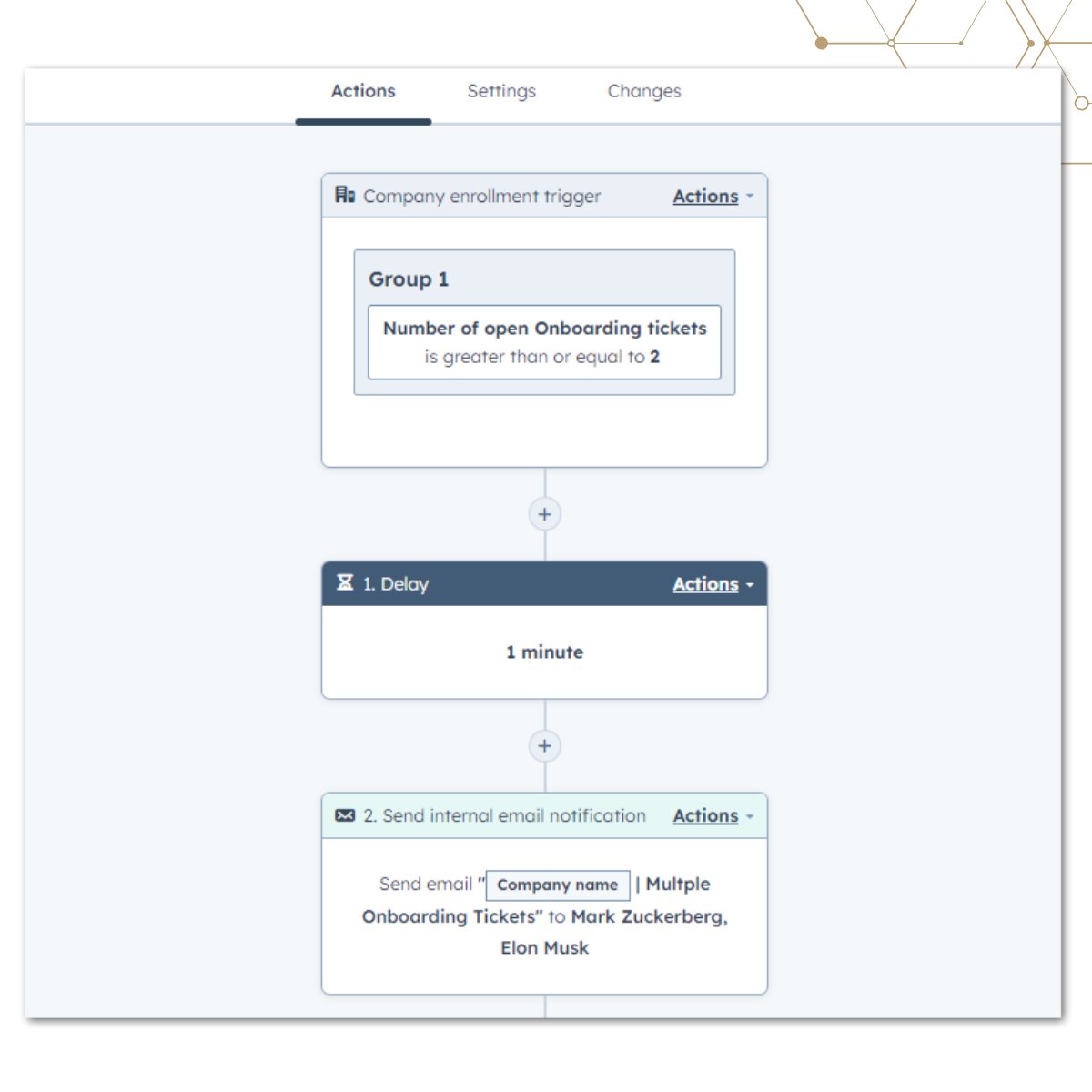
Need a way to count the number of open tickets in your pipeline? Especially when a single company has several due to purchasing multiple products/services at once? Here’s a quick guide on how we utilised calculated properties in #HubSpot to keep things streamlined.

Need a way to count the number of open tickets in your pipeline? Especially when a single company has several due to purchasing multiple products/services at once? Here’s a quick guide on how we utilised calculated properties in #HubSpot to keep things streamlined.
XEN Systems (@xensystems) 's Twitter Profile Photo

🎉Exciting News! 🎉 Catch the latest HubShots Episode 304 as Craig and Ian unpack the hottest product announcements! 🚀 Get ready to discover Campaign Assistant, prospecting tool and more! 💪 Full shownotes available here: hubs.ly/Q025xVPQ0 #HubShots #HubSpot #CRMPlatform

XEN Systems (@xensystems) 's Twitter Profile Photo

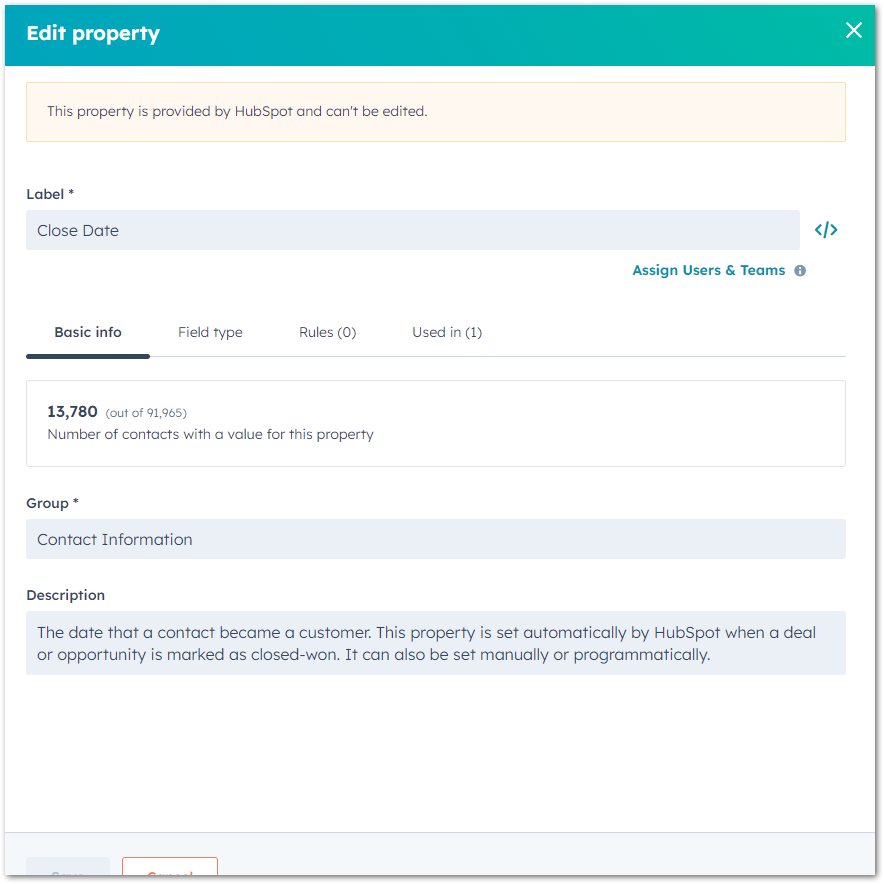
What is the purpose of the Close date property in #HubSpot? At its core, it's the date a deal reaches the closed won stage or a contact becomes a customer, but there's more... It is also an an estimate of when a deal will be closed - a sales rep can set this when creating a deal.

What is the purpose of the Close date property in #HubSpot? At its core, it's the date a deal reaches the closed won stage or a contact becomes a customer, but there's more... It is also an an estimate of when a deal will be closed - a sales rep can set this when creating a deal.
XEN Systems (@xensystems) 's Twitter Profile Photo

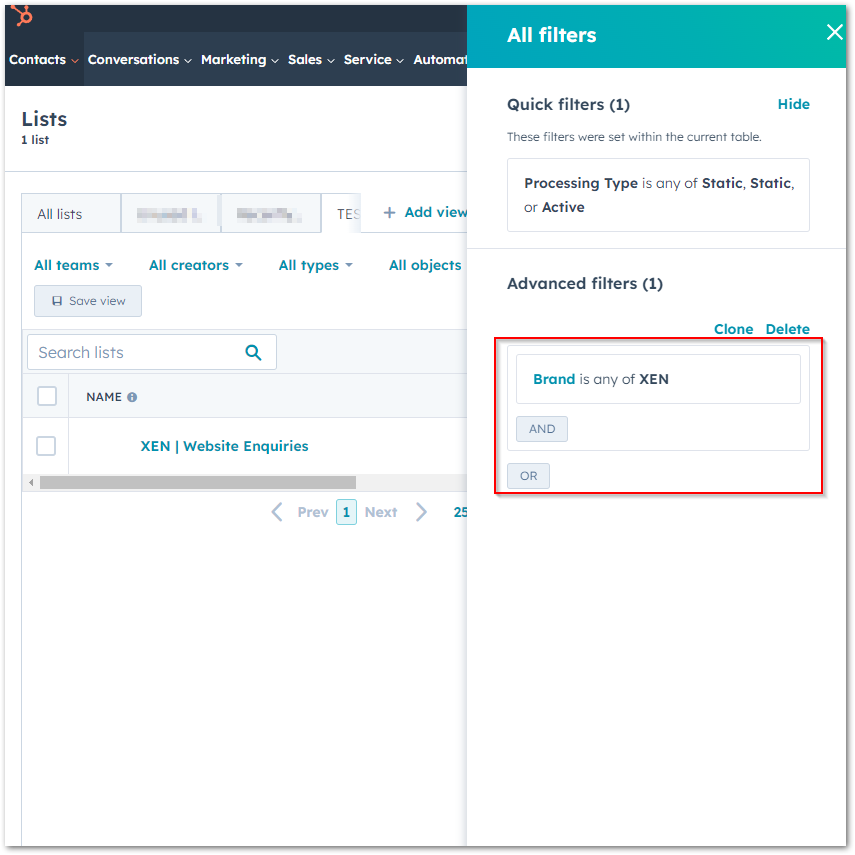
Loving the new beta feature in #HubSpot - 'List Custom Properties'. Use these to better organise, filter, and create tailored views for your lists. Similar to contact views, you can limit who can access them - either private, specific team, or everyone.

Loving the new beta feature in #HubSpot - 'List Custom Properties'. Use these to better organise, filter, and create tailored views for your lists. Similar to contact views, you can limit who can access them - either private, specific team, or everyone.