
Egor Chistyakov (@tchegr) 's Twitter Profile
Egor Chistyakov

@tchegr

Graphics and game designer, vector tools enthusiast, poet and dreamer

ID: 234264165

calendar_today05-01-2011 06:32:50

1,1K Tweet

160 Followers

241 Following

Egor Chistyakov (@tchegr) 's Twitter Profile Photo

People a very polar about this. Some find this amazing, some prefer numbers. But it’s better to have a tool for a narrow case than not have one. And this one, as many others Sergey makes, is handy and well-thought.

Egor Chistyakov (@tchegr) 's Twitter Profile Photo

A tiny dialog with a LOT of coloring options. My personal favorite is the one that allows to limit random colors if I want to have only 4, for example, with the Unique field. And the Step! Every randomization tool should allow stepping!

Egor Chistyakov (@tchegr) 's Twitter Profile Photo

I am going to be the one who objects. Don’t embrace it. Notice how it’s a screenshot of a photo of a note, instead of just text. Always in a hurry, always 'good enough'... this is how we got #Illustrator in the today’s state, this is how sharing an uncropped screenshot is easier.

Egor Chistyakov (@tchegr) 's Twitter Profile Photo

The script by Sergey Nikolaev is quite unique, it allows to tweak existing round corners in #Illustrator. Another solution — 'squircular' mode for Dynamic Corners by #astutegraphics (no longer at X). Upvote this request if you want to have it from the box: illustrator.uservoice.com/forums/333657/…


Egor Chistyakov (@tchegr) 's Twitter Profile Photo

Used it just recently, to sign different photos of plants on canvas directly. Saved me some time and helped to navigate the document!

Sergey Osokin (@creold) 's Twitter Profile Photo

Add custom guides in Adobe Illustrator. Full tutorial: youtu.be/yI1WLRb4tkw. Buy the AddObjectGuides script: buymeacoffee.com/aiscripts/e/38… #illustrator #adobeillustrator #script #extendscript

Egor Chistyakov (@tchegr) 's Twitter Profile Photo

What started as a simple script to bake names for placed images has become a powerful (yet simple to use) captioning tool. Love it. Works great combined with the other scripts to rename stuff Sergey wrote.

Egor Chistyakov (@tchegr) 's Twitter Profile Photo

When people draw in a style of Ghibli by hand, they clearly express their love for the art style and the movies. When a neural hallucination does it, it feels just like obsession and blind desire. A cheat. Reminds me of Hitch, when Alex refuses to help to just seduce a woman.

DTP Transit (@dtp_transit) 's Twitter Profile Photo

#Illustrator の「長方形ツール」「楕円形ツール」「多角形ツール」「スターツール」の代わりに、ひとつのダイアログでまとめて図形を作成できるスクリプトを作りました。

DTP Transit (@dtp_transit) 's Twitter Profile Photo

選択したテキストフレーム内の指定した1文字を、基準文字に合わせてベースライン(垂直位置)を調整するスクリプト(複製とアウトライン化で中心Y座標を比較) ・対象文字は自動入力 ※Egor Chistyakovさん Egor Chistyakov のアイデアをパワーアップ

Sergey Osokin (@creold) 's Twitter Profile Photo

Inserts/replaces text at set positions in text frames. Unlike Edit → Find and Replace, the script uses index positions, even if content differs. Supports fixed, every N, odd/even modes. Download: github.com/creold/illustr… #illustrator #adobeillustrator #script #extendscript

Egor Chistyakov (@tchegr) 's Twitter Profile Photo

Using both appearance with scripting to solve the problem with truly (hopefully!) universal method for making offsets for whole objects: no matter if they are clipped or even raster images with transparency — works anyway! Please try it.

Egor Chistyakov (@tchegr) 's Twitter Profile Photo

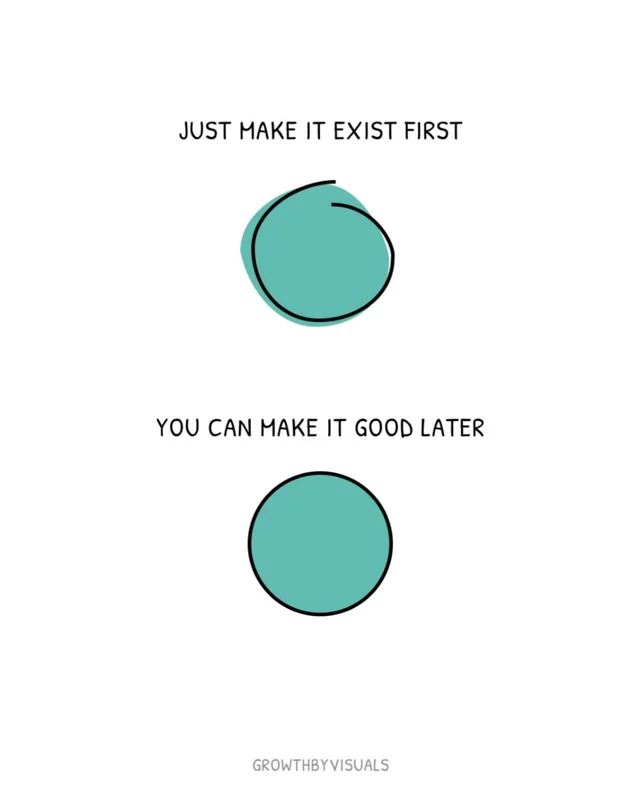
I’ve seen this image way too many times. As an #Illustrator user I find it laughable. The amount of work one needs to convert the thing above into the thing below is far greater than just making an ellipse from the start. Sometimes it’s faster to make something good first.

I’ve seen this image way too many times. As an #Illustrator user I find it laughable. The amount of work one needs to convert the thing above into the thing below is far greater than just making an ellipse from the start. Sometimes it’s faster to make something good first.
Egor Chistyakov (@tchegr) 's Twitter Profile Photo

Treat paths as magnets. Click! — and they all snap together. It’s like Join, but Reposition and Join instead. Super neat.

宮澤聖二|三階ラボ (@onthehead) 's Twitter Profile Photo

選択したパスの形状が選択範囲になるIllustratorスクリプト作った。 背面のドットパターンなどを文字やシルエットで抜いたり、色を変えたりするのが一気に楽になる。 パスの数によっては処理に時間かかるけど、便利なのでそのうち配布します。