π New feature: Network Dashboard
We consolidated multiple data sources to show you both real-time and historical MegaETH performance:
π TPS & Gas graphs (1h/24h/7d)
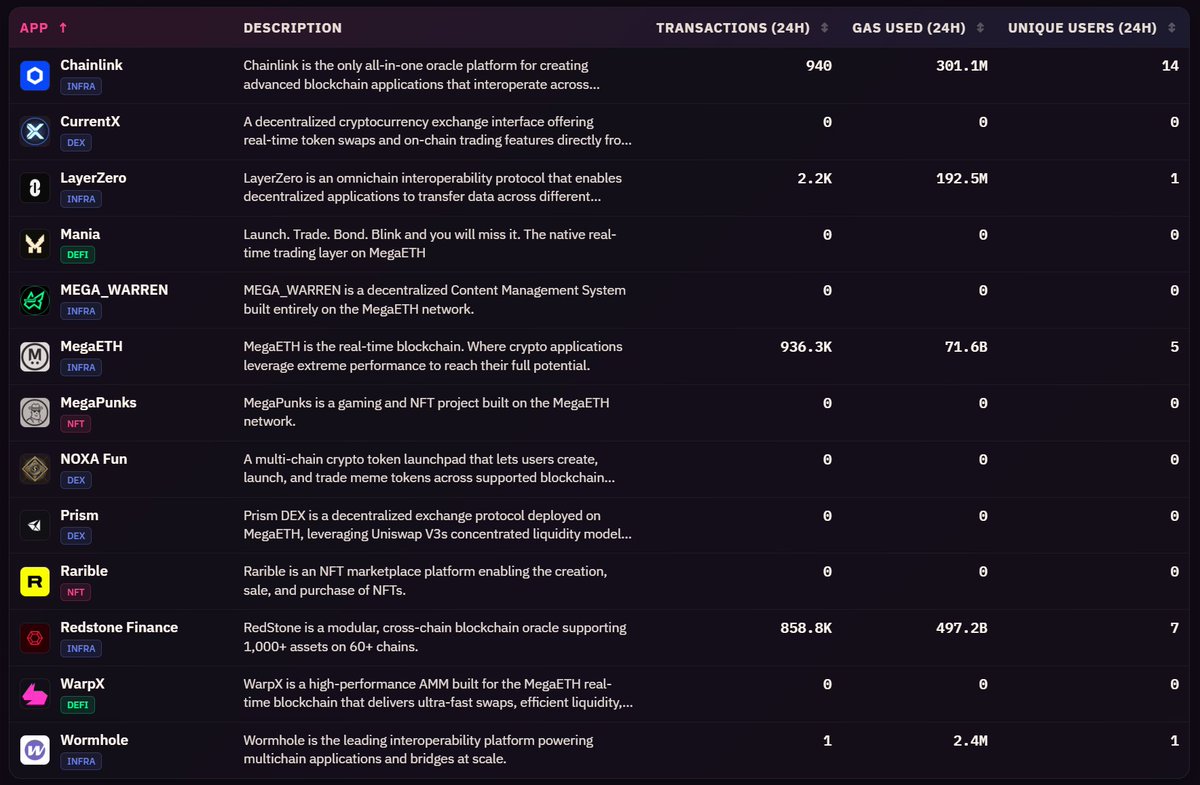
π Top contracts & apps
ποΈ 7-day activity heatmap
π Real-time mini-blocks flow
β miniblocks.io/dashboard
UI server improvements deployed!
β TPS and Gas metrics are now more stable and network-independent - no more jitter during traffic bursts
β Better WebSocket session handling under load
β Small UI tweaks to handle huge number of transactions
Improving under stress! πͺπ₯
Our architecture wasn't an accident - it was crafted & stress-tested internally for exactly this: MegaETH-level loads.
When the chain pushes boundaries, the tools have to push harder too.
π Fascinating MegaETH behavior under load:
As TPS increases, mini-block time actually decreases from ~11ms to ~9ms - meaning mini-blocks arrive MORE frequently when the network is busy.
It is counter-intuitive and we do not know why exactly it happens.
Explore these patterns
π§ͺ New experimental feature: Real-time transaction parsing
MiniBlocks now decodes contract calls on MegaETH and streams the details live.
First demo: Crossy Fluffle dashboard β watch players' moves in real-time
See it here: miniblocks.io/crossy-fluffle
π New Feature: Transaction Details
Explore every MegaETH transaction with miniblock-level precision:
- Integrated to our global search
- See exactly which miniblock tx landed in
- Millisecond timestamps
- Visualization showing nearby miniblocks
- Linked to our Apps & Contracts
π New Feature: Block Data Explorer
Shows miniblock-level data for MegaETH blocks:
β’ Transaction breakdown per miniblock
β’ Top contracts called in the block
β’ Visualization showing activity distribution
β’ Integrated with global search & contract analytics
Example:
We started building MiniBlocks three months ago.
Our goal: a tool tailored to MegaETH's unique features. Full observability of the network in real-time at miniblock level.
This thread shows how MiniBlocks can help you navigate MegaETH during mainnet. π§΅
Building for MegaETH means rethinking everything - architecture for the speed, UI for the comprehension.
How do you show 100 blocks/sec in a way people actually get it?
We treat animations as data, not decoration. Each one needs to communicate something meaningful without
π New: Network Explorer UI
Built for MegaETH's 10ms miniblocks. Familiar explorer layout, but designed to actually feel the speed.
What's in it:
- Live block feed - watch blocks form in real time with animations
- Active contracts - see what's being called right now
-
New Feature : a daily digest
Every day we crunch the on-chain data and let AI turn it into a readable report - trends, top apps, gas patterns, charts
Reports are generated daily, check them to see what numbers tell about MegaETH development.
Try it: miniblocks.io/digest
We published how our network digests are built β every stage, from raw blockchain data to the final post.
The interesting part: the AI is involved in 1 of 6 stages. The other 5 are statistics, aggregation, and anomaly detection across every contract on MegaETH.
Full
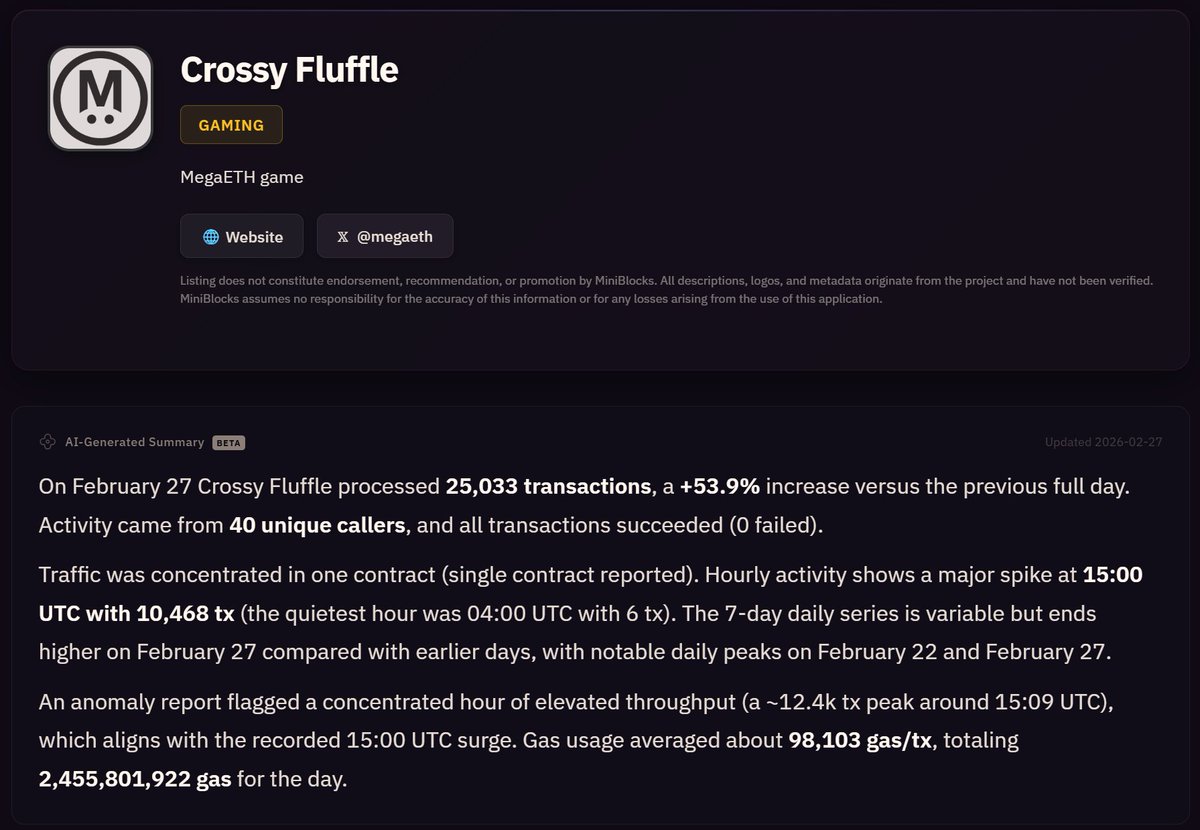
New: AI-generated activity summaries for apps in our catalog
App pages now include a short daily summary - what happened, how it compares to the day before, which contracts drove the activity.
Updated automatically for apps with >100 daily transactions.
Why:
- AI bots
The first generated weekly report is available.
MegaETH Weekly Report β Week 9 (Feb 23 β Mar 1, 2026) miniblocks.io/digest/weekly/β¦ via @miniblocksio
Spring has arrived at miniblocks.io πΈ
Every transaction on MegaETH now falls as a sakura petal in our header.
Prefer stars?
Hit the toggle in the top-right corner (or hamburger menu on mobile) to switch between πΈ/β/off.