Luan Gjokaj (@luangjokaj) 's Twitter Profile
Luan Gjokaj

@luangjokaj

UX Engineer & Designer • Bridging the gap between design and code • riangle.com

ID: 535380164

linkhttp://www.riangle.com calendar_today24-03-2012 14:14:39

309 Tweet

364 Followers

824 Following

Luan Gjokaj (@luangjokaj) 's Twitter Profile Photo

If you need some 🍞Toast Notifications that don't suck. Look no further, check out: cherry.design/docs/code/reac… 🍒 #cherry #design #webdeisgn #dev #designsystem

Diagram (@diagram) 's Twitter Profile Photo

🔅 Introducing Genius, your AI design companion in Figma It understands what you’re designing and makes suggestions that autocomplete your design using components from your design system. Genius is coming soon. Join the waitlist → genius.design

Wes Bos (@wesbos) 's Twitter Profile Photo

🔥 CSS Grid Hot Tip :before and :after are first class CSS Grid items, this “lines on either side” design can easily be accomplished in ~10 lines of CSS

🔥 CSS Grid Hot Tip

:before and :after are first class CSS Grid items, this “lines on either side” design can easily be accomplished in ~10 lines of CSS
Luan Gjokaj (@luangjokaj) 's Twitter Profile Photo

A boilerplate for your design system, from Figma to React Components: cherry.design free and open source 🍒 #ui #figma #react #uikit #dev #development #nextjs #vitejs #designer #design #system #designsystem #components #css #styles

Luan Gjokaj (@luangjokaj) 's Twitter Profile Photo

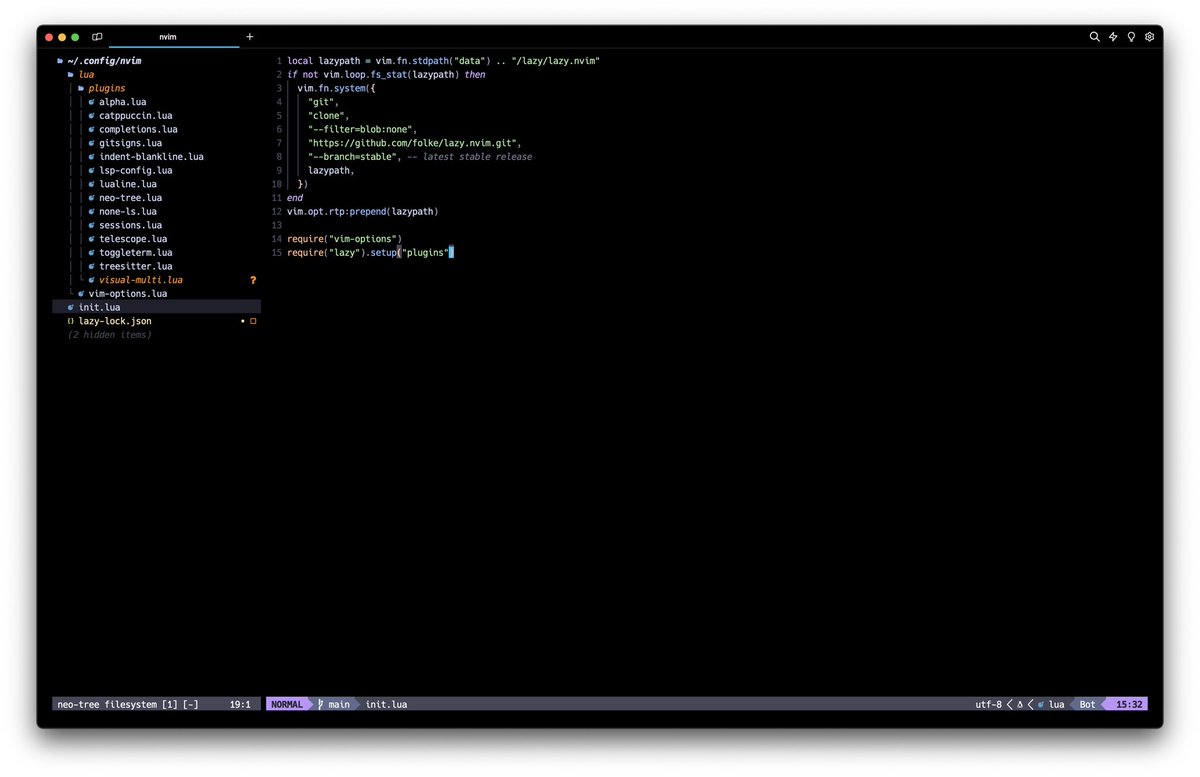
After 10 years of writing code, i’m switching from tabs to spaces. Say thanks to #vim or i should say #neovim #dev #code #dx #design

After 10 years of writing code, i’m switching from tabs to spaces. Say thanks to #vim or i should say #neovim

#dev #code #dx #design
jhey ▲🐻🎈 (@jh3yy) 's Twitter Profile Photo

CSS Anchor Positioning && :has() for a magnetic hover effect 🤙🧲 article { anchor-name: --develop; } ul:has(li:hover) { --anchor: --preview; } ul::after { inset: anchor(var(--anchor) top) anchor(var(--anchor) right) ... ; }

jhey ▲🐻🎈 (@jh3yy) 's Twitter Profile Photo

CSS is mind-blowing 🤯 Browser does what it can to keep the menus in view. Even when you scroll. Zero JavaScript (Aside from the Draggable part) This is the important HTML 👇 (anchor) <button id="trigger" popovertarget="menu"> <div popover="auto" id="menu" anchor="trigger">

Luan Gjokaj (@luangjokaj) 's Twitter Profile Photo

Tired of plain, text-heavy job ads? 💤 Stand out and attract top talent with engaging, interactive job ads! Introducing VIDEOJOBS.io, now in beta. 🚀 videojobs.io #JobAdsRevolution #Hiring #BetaLaunch #JobAd #jobs #hr #recruiting

Tired of plain, text-heavy job ads? 💤 Stand out and attract top talent with engaging, interactive job ads! Introducing VIDEOJOBS.io, now in beta. 🚀 

videojobs.io

#JobAdsRevolution #Hiring #BetaLaunch #JobAd #jobs #hr #recruiting