

DesignSense Software Technologies
@designsensesoft
DesignSense Software Technologies is the #1 distributor in India for BricsCAD, since 2008.
We created the GeoTools-CADPower plugins for BricsCAD & AutoCAD
ID: 2284472726
http://www.thedesignsense.com 10-01-2014 03:36:05
970 Tweet
229 Followers
19 Following
BricsCAD V23, Cool New Features, Listen to this CAD podcast by Julie Keeverian, Technical Manager, Bricsys®, part of Hexagon ( A ZENTEK hosted event) bit.ly/3JDZzci DailyCADCAM.com @bricscadme
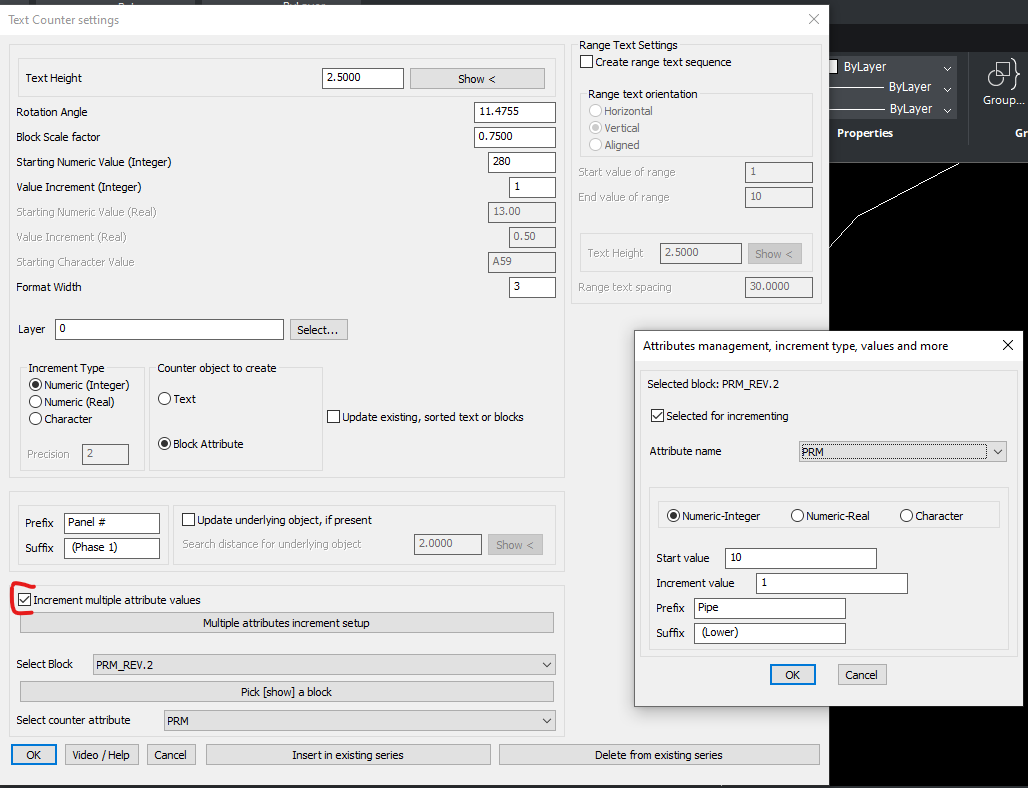
Keep Discovering! A new improvement in the attribute incrementing tool in #CADPower now allows multiple attributes to be selected for incrementing bit.ly/3XY8BoA One of the 400+ tools that can help you deliver more throughput! Bricsys®, part of Hexagon DailyCADCAM.com
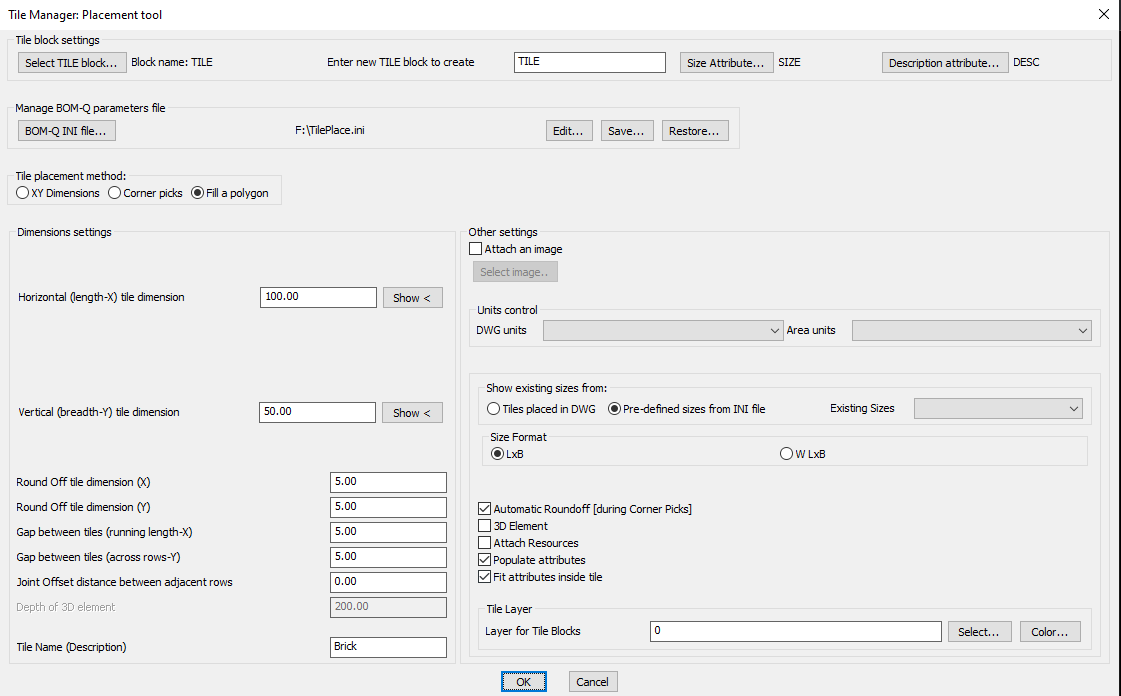
CADSOMA March 2023 Update, calling all CAD developers in India to take a peek bit.ly/3yUst1j Bricsys®, part of Hexagon DailyCADCAM.com @bricscadme
Introducing #CADSOMA, a new marketplace for CAD developers from India bit.ly/3lclxcy Bricsys®, part of Hexagon @bricscadme
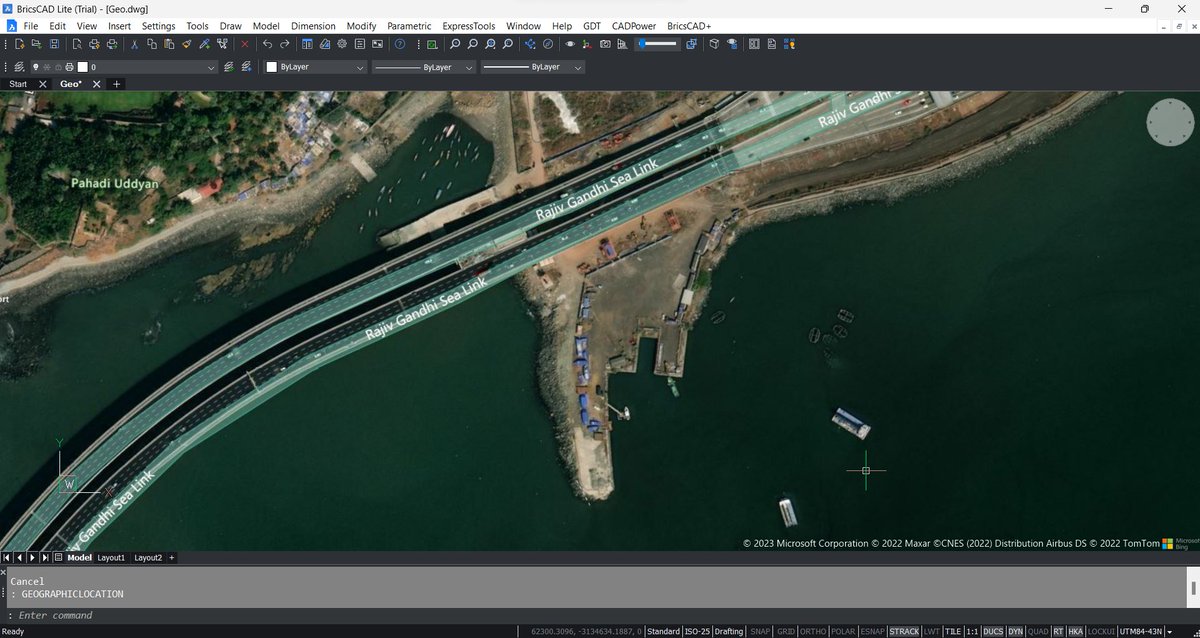
A momentous day for #BricsCAD geographic data users! V 23.2.03 can now live stream BING maps into your CAD window. Works in Lite version also. Get it now bit.ly/3pZvERQ Bricsys®, part of Hexagon @bricscadme DailyCADCAM.com
Generate Detailed #Polyline Statistics, Table and Excel output #hindi #cadpower youtu.be/KxEUo8y0xUQ Bricsys®, part of Hexagon DailyCADCAM.com
CP MEASURE2POINTS: Measure inter-mediate distance between two points on the curve (ENGLISH) youtu.be/ybz3mbGn0fA Bricsys®, part of Hexagon DailyCADCAM.com
CP DWGSET Part 1 of 3 (#English): Drawing Settings Dashboard (#BRICSCAD) in #CADPower youtu.be/xQ4d1cgODqQ Bricsys®, part of Hexagon @bricscadme
CP DWGSET Part 2 of 3 (#English): Drawing Settings Dashboard (#BRICSCAD) in #CADPower youtu.be/g4CdSX2lA48 Bricsys®, part of Hexagon @bricscadme
CP DWGSET Part 3 of 3 (#English): Drawing Settings Dashboard (#BRICSCAD) in #CADPower youtu.be/HOB7ZFKUIqE Bricsys®, part of Hexagon @bricscadme
CP_CALCAREA Part 1 of 2 (#English): Cost and Time Takeoff with Area Computations in #CADPower Bricsys®, part of Hexagon @bricscadme
CP_CALCAREA Part 2 of 2 (#English): Cost and Time Takeoff with Area Computations in #CADPower youtu.be/qe7uuiMtSag Bricsys®, part of Hexagon @bricscadme
We are happy to present this #BricsCAD customer success story from our valuable customer, EIEN Engineering in Vadodara bit.ly/3nWOlqE Bricsys®, part of Hexagon @bricscadme
Measure distance between two points in #BricsCAD #AutoCAD using #CADPower CP_MEASURE2POINTS #english youtu.be/ybz3mbGn0fA Bricsys®, part of Hexagon @bricscadme
#CADPower Part Edit Tools for polylines - #COPY #EXTRACT #RESHAPE #STRETCH #ROTATE and #MIRROR #English youtu.be/DsHEcsiL7_s @bricscadme Bricsys®, part of Hexagon
Get Brics(CAD)Power, step by step instructions in #Hindi for the download and installation of #BricsCAD with #CADPower, the ultimate productivity combo youtu.be/Zs4N0eTGI0c Bricsys®, part of Hexagon @bricscadme
CP_PL_STAT Polyline Statistics Command in #CADPower #Hindi youtu.be/3tIgcQKByTo Bricsys®, part of Hexagon @bricscadme
CP_TILEPLACE and SCLEDIT #English Optimize tiles and panels placement in #AutoCAD #BricsCAD youtu.be/FAfmUuzVz_c Bricsys®, part of Hexagon @bricscadme