Path Finder (@cocoatech) 's Twitter Profile
Path Finder

@cocoatech

Hello From the Cocoatech Headquarters,

We make Path Finder, a multiple award-winning macOS app, as well as our newest app Deckr. linktr.ee/cocoatech

ID: 43964892

linkhttps://www.cocoatech.io/ calendar_today01-06-2009 20:29:25

1,1K Tweet

4,4K Takipçi

97 Takip Edilen

Path Finder (@cocoatech) 's Twitter Profile Photo

🌊 Deckr is Getting a Fresh New Look! Big things are coming! 🚀 A brand-new update with a sleek, modern design is on the way for Deckr. Get ready for a smoother, better-looking experience. Stay tuned - New Update, New Looks Coming Soon! 👀 #Deckr #BookmarkManager #ComingSoon

🌊 Deckr is Getting a Fresh New Look!

Big things are coming! 🚀 A brand-new update with a sleek, modern design is on the way for Deckr. Get ready for a smoother, better-looking experience.

Stay tuned - New Update, New Looks Coming Soon! 👀

#Deckr #BookmarkManager #ComingSoon
Path Finder (@cocoatech) 's Twitter Profile Photo

🚀 Big News from Cocoatech! We're growing to serve you better. 💬✨ Whether you've used Path Finder for years or just discovered Deckr, we’re here, listening, and ready to help you get the most out of your experience. Read our full update here: 🔗 cocoatech.io/post/the-cocoa…

Path Finder (@cocoatech) 's Twitter Profile Photo

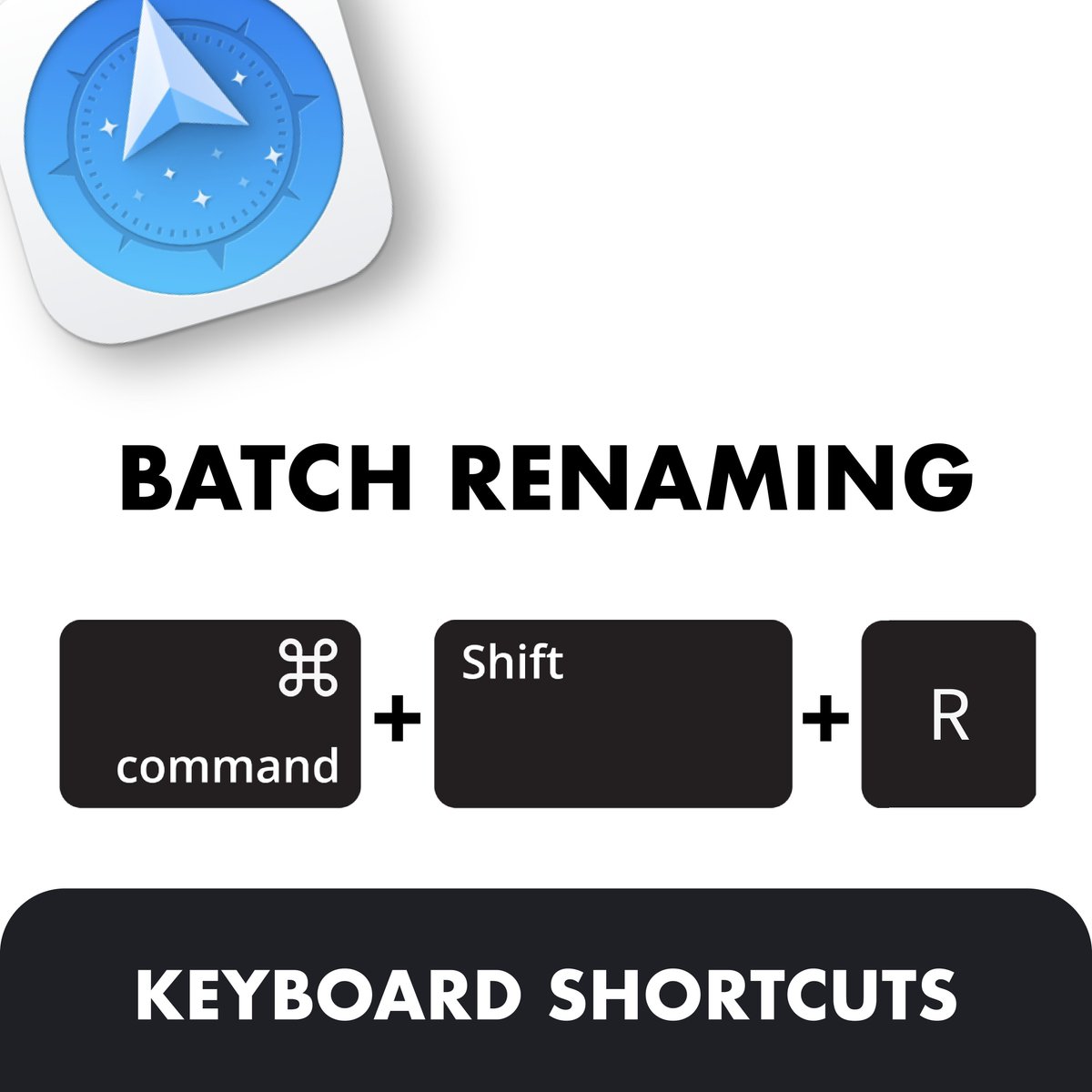
Renaming multiple files manually? Ain’t nobody got time for that! With Path Finder, Batch Rename makes it quick and easy. ✨ Two ways to do it: 🔹 Command + Shift + R – The fastest shortcut! 🔹 Commands > Batch Rename from the top bar

Renaming multiple files manually? Ain’t nobody got time for that! With Path Finder, Batch Rename makes it quick and easy.

✨ Two ways to do it:
🔹 Command + Shift + R – The fastest shortcut!
🔹 Commands > Batch Rename from the top bar
Path Finder (@cocoatech) 's Twitter Profile Photo

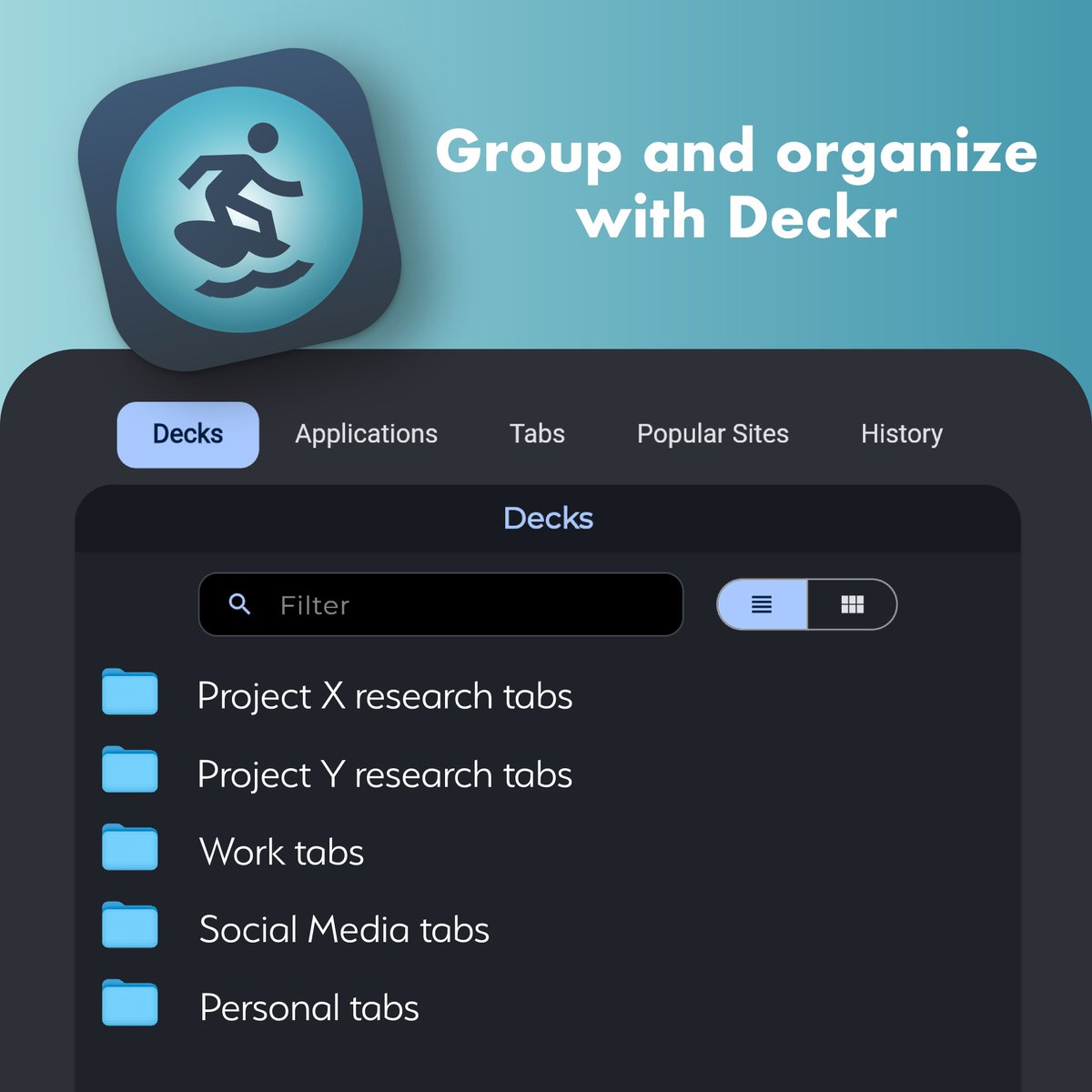
Tired of tab chaos in your browser? Meet Deckr — the smart way to group and organize your tabs. 📁 Whether it's research, work, or social media, Deckr lets you create custom decks to keep everything neat and under control. Try it out and take control of your digital life.

Tired of tab chaos in your browser? Meet Deckr — the smart way to group and organize your tabs. 📁 Whether it's research, work, or social media, Deckr lets you create custom decks to keep everything neat and under control. Try it out and take control of your digital life.
Path Finder (@cocoatech) 's Twitter Profile Photo

🚀 Direct Uploads to Dropbox Cloud! Skip the sync and upload files directly to your Dropbox folder with a single click. 🔹 Link your account in Settings 🔹 Set your Dropbox folder path 🔹 Enjoy instant, one-way uploads straight to the cloud

🚀 Direct Uploads to Dropbox Cloud!
Skip the sync and upload files directly to your Dropbox folder with a single click.

🔹 Link your account in Settings
🔹 Set your Dropbox folder path
🔹 Enjoy instant, one-way uploads straight to the cloud
Path Finder (@cocoatech) 's Twitter Profile Photo

Got ideas, feature requests, or ways we can improve Deckr? Drop your suggestions below! 🛠️ Our developers love reading your feedback and will explore what’s possible for future updates. Let’s build something awesome together! 🚀

Got ideas, feature requests, or ways we can improve Deckr? Drop your suggestions below! 🛠️ Our developers love reading your feedback and will explore what’s possible for future updates. Let’s build something awesome together! 🚀
Path Finder (@cocoatech) 's Twitter Profile Photo

Did you know? ☁️ Path Finder integrates with iCloud Drive – so you can easily manage your files stored in the cloud right from our interface. Drag, drop, copy, and organize your iCloud files with all the power of Path Finder.

Did you know? ☁️
Path Finder integrates with iCloud Drive – so you can easily manage your files stored in the cloud right from our interface. Drag, drop, copy, and organize your iCloud files with all the power of Path Finder.
Path Finder (@cocoatech) 's Twitter Profile Photo

🔄 FTP/SFTP Uploads in Path Finder – Fast & Secure File Transfers With Path Finder, uploading files via FTP or SFTP has never been easier! Securely transfer your data with encrypted connections, ensuring fast, reliable uploads every time. #PathFinder #FTP #FTPS #FileTransfers

🔄 FTP/SFTP Uploads in Path Finder – Fast & Secure File Transfers

With Path Finder, uploading files via FTP or SFTP has never been easier! Securely transfer your data with encrypted connections, ensuring fast, reliable uploads every time.

#PathFinder #FTP #FTPS #FileTransfers
Path Finder (@cocoatech) 's Twitter Profile Photo

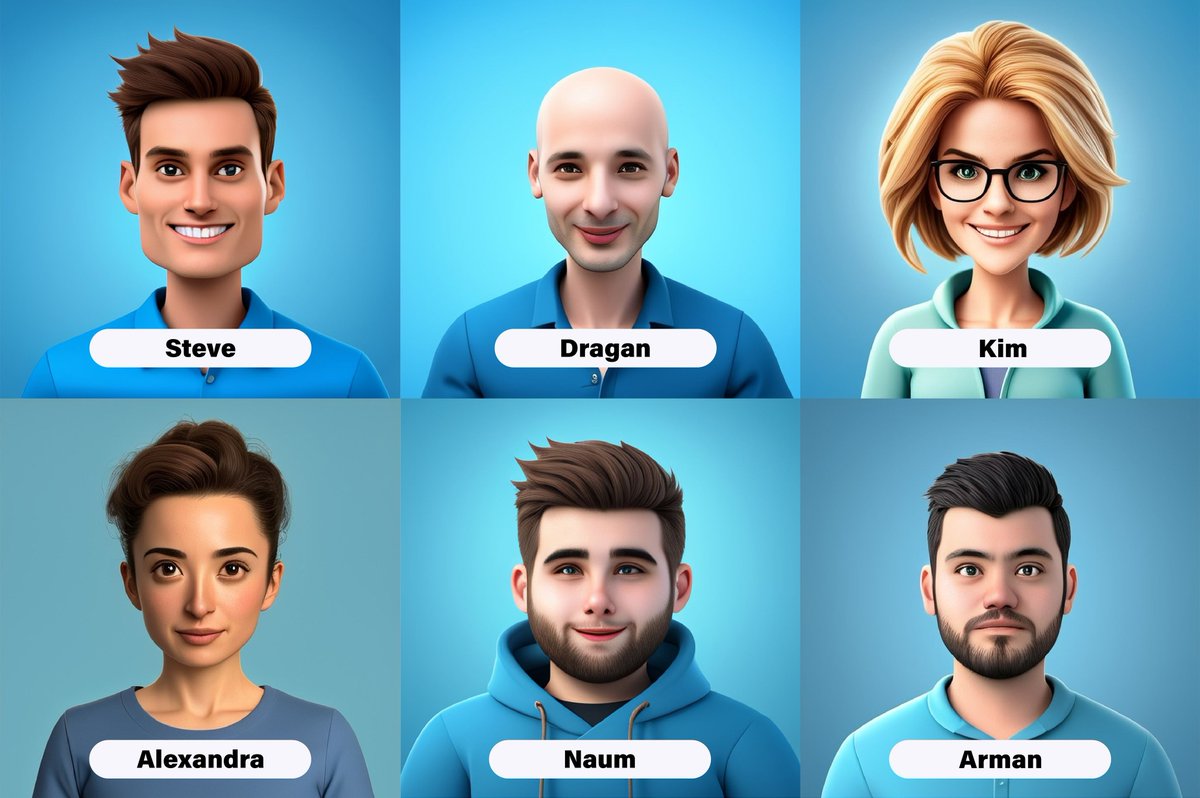
🌍 Meet the Cocoatech Team! We’re excited to introduce the passionate team behind Cocoatech’s success! From customer support to development, our diverse team of 6 talented professionals from around the world is dedicated to delivering top-notch service: cocoatech.io/post/the-cocoa…

🌍 Meet the Cocoatech Team!
We’re excited to introduce the passionate team behind Cocoatech’s success! From customer support to development, our diverse team of 6 talented professionals from around the world is dedicated to delivering top-notch service: cocoatech.io/post/the-cocoa…
Path Finder (@cocoatech) 's Twitter Profile Photo

🔧 Path Finder Modules: Customize Your Workspace Like Never Before From Git to Terminal, Preview to Drop Stack — Path Finder’s powerful modules let you build your perfect file management setup. 💬 What’s your favorite module to work with? #PathFinder #macOS #ProductivityTools

🔧 Path Finder Modules: Customize Your Workspace Like Never Before
From Git to Terminal, Preview to Drop Stack — Path Finder’s powerful modules let you build your perfect file management setup.
💬 What’s your favorite module to work with?

#PathFinder #macOS #ProductivityTools
Path Finder (@cocoatech) 's Twitter Profile Photo

Direct Uploads to Amazon S3 Now Available in Path Finder! No more switching apps—upload your files straight to your Amazon S3 bucket directly from Path Finder. Enter your credentials, pick your region, and you're good to go. Fast and secure file transfers made for power users.

Direct Uploads to Amazon S3 Now Available in Path Finder!
No more switching apps—upload your files straight to your Amazon S3 bucket directly from Path Finder. Enter your credentials, pick your region, and you're good to go. Fast and secure file transfers made for power users.
Path Finder (@cocoatech) 's Twitter Profile Photo

We’re honored to be highlighted by XDA as one of the best file explorers for macOS. 🧭✨ If you haven’t tried Path Finder yet, this is your sign. From dual-pane browsing to powerful customization, it’s all about your productivity. xda-developers.com/reasons-path-f…

Path Finder (@cocoatech) 's Twitter Profile Photo

🚨 Path Finder Users: Quick Fix! If you see a “License expired” message after updating Path Finder — don’t worry! 1️⃣ Close Path Finder completely. 2️⃣ Open Keychain Access. 3️⃣ Search for “pfx” and delete any Path Finder-related items. 4️⃣ Reopen Path Finder

🚨 Path Finder Users: Quick Fix! If you see a “License expired” message after updating Path Finder — don’t worry!

1️⃣ Close Path Finder completely. 2️⃣ Open Keychain Access. 3️⃣ Search for “pfx” and delete any Path Finder-related items. 4️⃣ Reopen Path Finder
Path Finder (@cocoatech) 's Twitter Profile Photo

🚀 Your Files. Your Git. One Window. Supercharge your workflow with Path Finder’s built-in Git module. ✅ Instantly check repo status ✅ Stage & commit changes effortlessly ✅ View history right in your file manager ✅ No need to switch to Terminal

🚀 Your Files. Your Git. One Window.

Supercharge your workflow with Path Finder’s built-in Git module.

✅ Instantly check repo status
✅ Stage & commit changes effortlessly
✅ View history right in your file manager
✅ No need to switch to Terminal
Path Finder (@cocoatech) 's Twitter Profile Photo

🎉 We Heard You — License Keys Are Back! 🔑 Many of you asked for a simple, one-time purchase option — so we brought it back. 🛍️ Available now in the app or at cocoatech.io ✅ Buy once, no subscription required, activate on up to 3 devices, manage your own activations.

🎉 We Heard You — License Keys Are Back! 🔑 Many of you asked for a simple, one-time purchase option — so we brought it back. 🛍️ Available now in the app or at cocoatech.io
✅ Buy once, no subscription required, activate on up to 3 devices, manage your own activations.
Path Finder (@cocoatech) 's Twitter Profile Photo

🚨 macOS 26 “Tahoe” is on the way... As always, we’re making sure Path Finder is fully ready for everything macOS throws our way — whether it’s 26 or just “Tahoe.” macrumors.com/2025/06/02/mac…

🚨 macOS 26 “Tahoe” is on the way...

As always, we’re making sure Path Finder is fully ready for everything macOS throws our way — whether it’s 26 or just “Tahoe.”

macrumors.com/2025/06/02/mac…
Path Finder (@cocoatech) 's Twitter Profile Photo

🗓️ All Apple OS versions just jumped to 26. And no, it’s not a bug — it’s the future. Starting now, every OS will align with the calendar year: 📱 iOS 26 💻 macOS Sequoia 26 📺 tvOS 26 ⌚ watchOS 26 👓 visionOS 26

🗓️ All Apple OS versions just jumped to 26. And no, it’s not a bug — it’s the future. Starting now, every OS will align with the calendar year:

📱 iOS 26
💻 macOS Sequoia 26
📺 tvOS 26
⌚ watchOS 26
👓 visionOS 26
Path Finder (@cocoatech) 's Twitter Profile Photo

Apple’s next OS betas just dropped. And everyone’s talking about one thing: Liquid. Glass. Design. Hyper-real, glossy, futuristic — or just… extra? What do you think?

Apple’s next OS betas just dropped. And everyone’s talking about one thing: Liquid. Glass. Design.
Hyper-real, glossy, futuristic — or just… extra? What do you think?
Path Finder (@cocoatech) 's Twitter Profile Photo

💼 Need licenses for your team or organization? We offer volume discounts for multi-seat licenses! Whether you're equipping 5 or 50 Macs, we’ve got scalable pricing that works for you. 👉 Get in touch via cocoatech.io to discuss your needs.

💼 Need licenses for your team or organization?
We offer volume discounts for multi-seat licenses!

Whether you're equipping 5 or 50 Macs, we’ve got scalable pricing that works for you.

👉 Get in touch via cocoatech.io to discuss your needs.