Freedom Scientific (@freedomsci) 's Twitter Profile
Freedom Scientific

@freedomsci

Freedom Scientific is the largest worldwide manufacturer of assistive technology products for those who are #blind or have #lowvision. #A11Y

ID: 2382446636

linkhttp://www.FreedomScientific.com calendar_today10-03-2014 17:30:10

6,6K Tweet

9,9K Followers

2,2K Following
Freedom Scientific (@freedomsci) 's Twitter Profile Photo

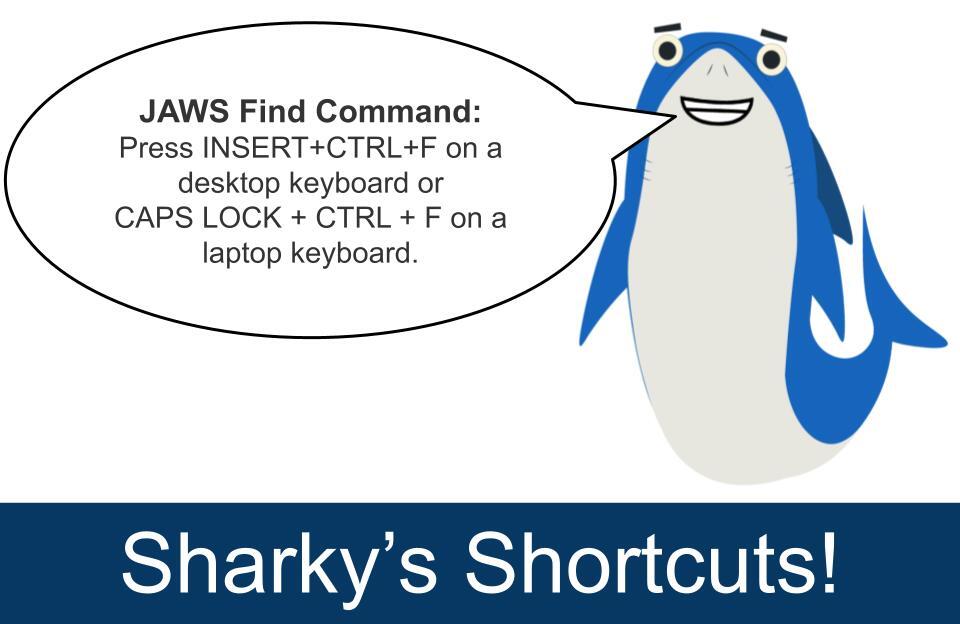
The JAWS Find command (INSERT+CTRL+F) is used when you want to quickly locate specific text or a graphic label on the current screen or in a virtual document, such as a web page or an email. Use this command when: • Searching for a word or phrase on a long web page to jump

The JAWS Find command (INSERT+CTRL+F) is used when you want to quickly locate specific text or a graphic label on the current screen or in a virtual document, such as a web page or an email.

Use this command when:
• Searching for a word or phrase on a long web page to jump
Freedom Scientific (@freedomsci) 's Twitter Profile Photo

It's not too late! Join us Thursday, November 13 at noon ET for a live webinar to learn about new features and enhancements in JAWS, ZoomText, and Fusion 2026. We’ll provide an overview of the software, plus demo features that will help you work more efficiently and

It's not too late! Join us Thursday, November 13 at noon ET for a live webinar to learn about new features and enhancements in JAWS, ZoomText, and Fusion 2026. We’ll provide an overview of the software, plus demo features that will help you work more efficiently and
Freedom Scientific (@freedomsci) 's Twitter Profile Photo

It's not too late! Join us Thursday, November 13 at noon ET for a live webinar to learn about new features and enhancements in JAWS, ZoomText, and Fusion 2026. We’ll provide an overview of the software, plus demo features that will help you work more efficiently and

It's not too late! Join us Thursday, November 13 at noon ET for a live webinar to learn about new features and enhancements in JAWS, ZoomText, and Fusion 2026. We’ll provide an overview of the software, plus demo features that will help you work more efficiently and
Freedom Scientific (@freedomsci) 's Twitter Profile Photo

Do you need to enable accessibility settings in Google Workspace? When using Google applications like Docs or Sheets with JAWS, you will need to enable two accessibility settings: Screen Reader Support and Braille Support. Even if you are not using a Braille display, Braille

Do you need to enable accessibility settings in Google Workspace? When using Google applications like Docs or Sheets with JAWS, you will need to enable two accessibility settings: Screen Reader Support and Braille Support.

Even if you are not using a Braille display, Braille
Freedom Scientific (@freedomsci) 's Twitter Profile Photo

Insert J Club members, your exclusive content just dropped! Check your inbox and get ready for tomorrow’s training webinar: New Features of JAWS, ZoomText, and Fusion 2026! Not in the club? Join now so you don't miss out on early access and exclusive events.

Insert J Club members, your exclusive content just dropped! Check your inbox and get ready for tomorrow’s training webinar: New Features of JAWS, ZoomText, and Fusion 2026!

Not in the club? Join now so you don't miss out on early access and exclusive events.
Freedom Scientific (@freedomsci) 's Twitter Profile Photo

Join us in one hour for a live webinar to learn about what’s new in JAWS, ZoomText, and Fusion 2026. hubs.ly/Q03Sph9n0 #VisperoTraining #JAWS #ZoomText #ScreenReader #ACVREP

Join us in one hour for a live webinar to learn about what’s new in JAWS, ZoomText, and Fusion 2026. hubs.ly/Q03Sph9n0

#VisperoTraining #JAWS #ZoomText #ScreenReader #ACVREP
Freedom Scientific (@freedomsci) 's Twitter Profile Photo

Page Explorer in JAWS makes browsing easier. Get instant summaries, key links, and simple tips to help you move through pages with ease. Learn more in this short training video: hubs.li/Q03SWx610 #ScreenReader #JAWS

Page Explorer in JAWS makes browsing easier. Get instant summaries, key links, and simple tips to help you move through pages with ease. Learn more in this short training video: hubs.li/Q03SWx610

#ScreenReader #JAWS
Freedom Scientific (@freedomsci) 's Twitter Profile Photo

Did you catch the training webinar, "Proof Word Documents More Proficiently Using the Microsoft Editor and JAWS," we hosted on October 16? In case you missed it, the archive is now available: hubs.li/Q03SWxh90 #VisperoTraining #JAWS #ScreenReader

Did you catch the training webinar, "Proof Word Documents More Proficiently Using the Microsoft Editor and JAWS," we hosted on October 16? In case you missed it, the archive is now available: hubs.li/Q03SWxh90

#VisperoTraining #JAWS #ScreenReader
Freedom Scientific (@freedomsci) 's Twitter Profile Photo

Everyone’s experience with vision loss is different, and so are the tools that help. Discover how Matt Ater’s story highlights the importance of choosing the right assistive tech. Read the blog: hubs.li/Q03T1xWK0 #AssistiveTech #Technology #JAWS #ScreenReader

Freedom Scientific (@freedomsci) 's Twitter Profile Photo

Looking for short training videos on specific topics? You’ll find them on the freedom Scientific Training channel on YouTube. #FreedomScientificTraining hubs.li/Q03TwSY00

Freedom Scientific (@freedomsci) 's Twitter Profile Photo

Did you request an ACVREP credit certificate for attending the live webinar: New Features of JAWS, ZoomText, and Fusion 2026? Please check your inbox; these have all been sent.

Freedom Scientific (@freedomsci) 's Twitter Profile Photo

Calling all Insert J Club members! Join our training team today at Noon Eastern Time for a Live Q & A. Not yet an Insert J Club member? Join today: hubs.li/Q03TLBHN0

Freedom Scientific (@freedomsci) 's Twitter Profile Photo

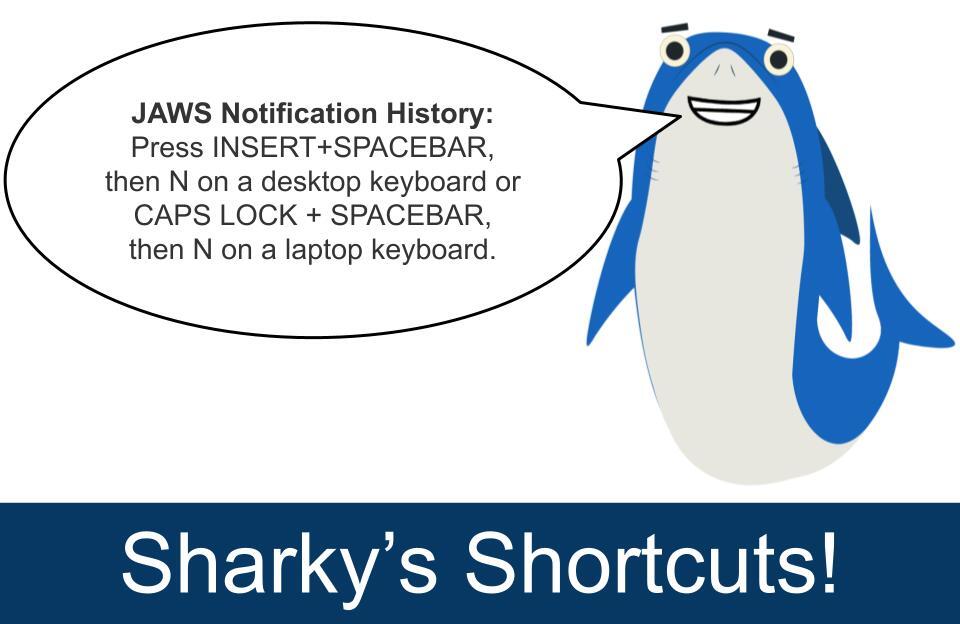
To access the JAWS Notification History, press INSERT+SPACEBAR, then press N on a desktop keyboard or CAPS LOCK + SPACEBAR, then N on a laptop keyboard. This will open a dialog box listing recent notifications received from Windows and other applications in the past 24 hours

To access the JAWS Notification History, press INSERT+SPACEBAR, then press N on a desktop keyboard or CAPS LOCK + SPACEBAR, then N on a laptop keyboard. This will open a dialog box listing recent notifications received from Windows and other applications in the past 24 hours
Freedom Scientific (@freedomsci) 's Twitter Profile Photo

Want to get more out of JAWS when working in Teams? Our short training video series walks you through the essential commands and workflows so you can work faster and stay organized. Catch the playlist here: hubs.li/Q03TQ9jF0 #VisperoTraining #JAWS #ScreenReader

Want to get more out of JAWS when working in Teams? Our short training video series walks you through the essential commands and workflows so you can work faster and stay organized. Catch the playlist here: hubs.li/Q03TQ9jF0

#VisperoTraining #JAWS #ScreenReader
Freedom Scientific (@freedomsci) 's Twitter Profile Photo

Miss previous webinars in our new AI training series or want a refresher? Visit our Learn AI page to access the archive, resources, practice exercises, and more. hubs.li/Q03TwMJd0 #AITraining #VisperoTraining #JAWS #ScreenReader

Freedom Scientific (@freedomsci) 's Twitter Profile Photo

For people who are blind or have low vision, screen reading software is the foundation of digital access. It is the technology that turns a computer from a visual interface into an accessible, usable tool. JAWS, the world’s most widely used Windows screen reader, transforms

For people who are blind or have low vision, screen reading software is the foundation of digital access. It is the technology that turns a computer from a visual interface into an accessible, usable tool.

JAWS, the world’s most widely used Windows screen reader, transforms
Freedom Scientific (@freedomsci) 's Twitter Profile Photo

The archived webinar Monarch Meets JAWS: Unlocking the Future of Multiline Braille is now available. Explore how Vispero, APH, and HumanWare are advancing braille access through multiline braille, split braille, and intuitive cursor routing. Learn how the Monarch and JAWS work

Freedom Scientific (@freedomsci) 's Twitter Profile Photo

Check out this week's JAWS Power Tip: How to Verbalize Column and Row Titles in Google Sheets hubs.li/Q03VdxLF0 #JAWS #JAWSPowerTips #ScreenReader #VisperoTraining

Freedom Scientific (@freedomsci) 's Twitter Profile Photo

Join the Insert J Club to connect with us and receive access to special events, exclusive content, and more. hubs.li/Q03TQ8HL0 #InsertJClub #JAWS