Derek Johnson (@derekjohnsonsv) 's Twitter Profile
Derek Johnson

@derekjohnsonsv

Director of Product for Microsoft 365 Copilot and Microsoft Designer. Opinions are my own.

ID: 1121164681085722624

linkhttps://designer.microsoft.com calendar_today24-04-2019 21:31:05

612 Tweet

803 Takipçi

555 Takip Edilen

Jeff Felten 📫 (@heyjefffelten) 's Twitter Profile Photo

Best Super Bowl ad I saw: Copilot AI. What’d I love about it? It wasn’t the features. They only gave a few glimpses of the tool’s features in the 30 second spot. It wasn’t all the cool things you can create with it either. They only showed glimpses of that too. So why did

Ann Kozma (@annkozma723) 's Twitter Profile Photo

Generating #AI #ValentinesDay cards with my almost 6-year-old niece using Microsoft Designer so she has custom cards to give her teachers tomorrow... this is what we've made so far! 💝🌷🪴💕 See our prompts in the ALT text!


Generating #AI #ValentinesDay cards with my almost 6-year-old niece using <a href="/MSFT365Designer/">Microsoft Designer</a> so she has custom cards to give her teachers tomorrow...
this is what we've made so far! 💝🌷🪴💕

See our prompts in the ALT text!

Becky Keene 🦋 (@beckykeene) 's Twitter Profile Photo

I owe Mike Tholfsen an apology! I commented that it would be great to integrate Microsoft Designer with the Announcements banner in Microsoft Teams and he quite rightly let me know that it was already there! YAY. Available for people with Teams Premium or Copilot. Check it out!

Derek Johnson (@derekjohnsonsv) 's Twitter Profile Photo

Great touch in the living room with the Tuneshine! Syncs to automatically show Sonos album art. Feature request for Tobias | Tuneshine: can we have a clock on idle?
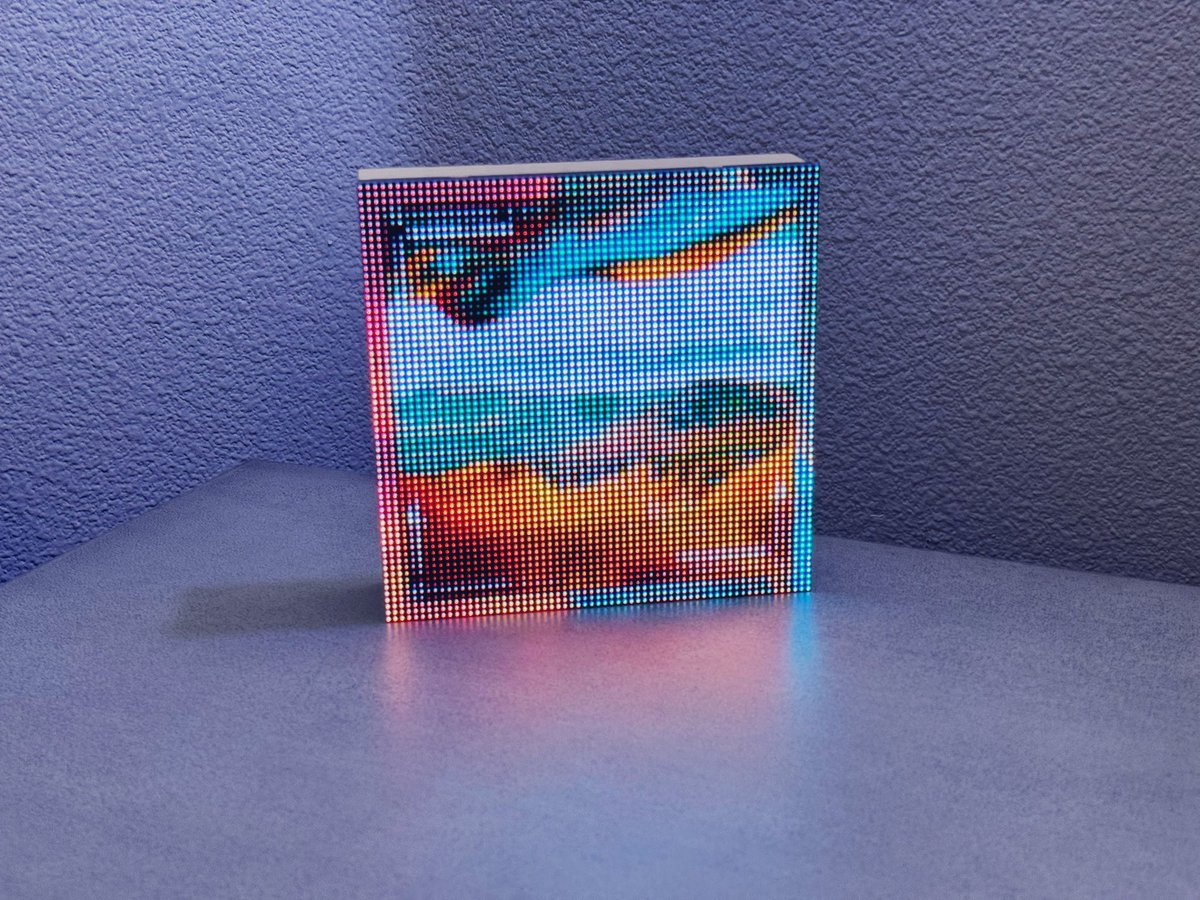
Great touch in the living room with the Tuneshine! Syncs to automatically show Sonos album art.

Feature request for <a href="/tobobo/">Tobias | Tuneshine</a>: can we have a clock on idle?
Derek Johnson (@derekjohnsonsv) 's Twitter Profile Photo

Today, we announced Microsoft Designer being integrated directly into your Microsoft Teams chats and channels so you can collaborative create and refine images right in your flow. Just '@ Designer' within any Teams chat or channel and describe what you'd like to create. Anyone

Derek Johnson (@derekjohnsonsv) 's Twitter Profile Photo

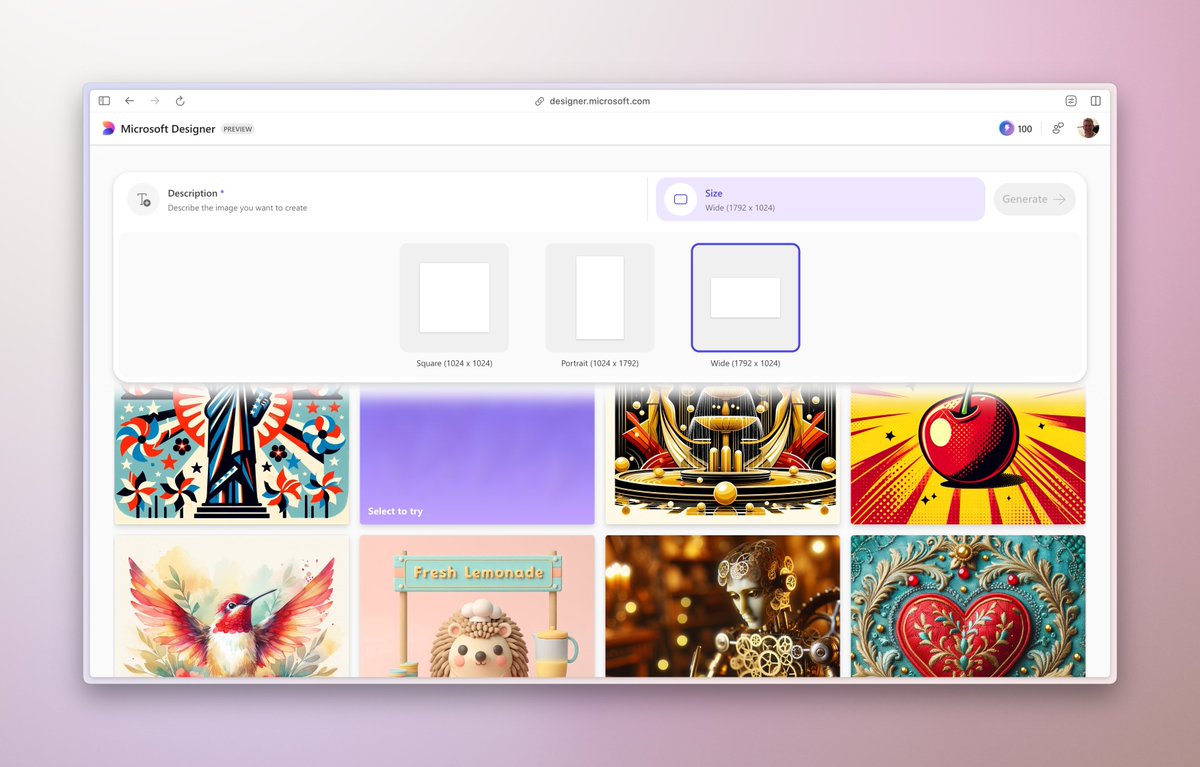
Excited to announce Microsoft Designer now supports landscape and portrait images, in addition to square! This is incredibly useful when you need to create an image for everything from a presentation to a Reel, or even a wallpaper for your desktop or phone. Give it a try for

Excited to announce Microsoft Designer now supports landscape and portrait images, in addition to square! 

This is incredibly useful when you need to create an image for everything from a presentation to a Reel, or even a wallpaper for your desktop or phone. 

Give it a try for
Yusuf Mehdi (@yusuf_i_mehdi) 's Twitter Profile Photo

The Microsoft Designer app is now generally available. It's an AI-powered tool that turns your words into designs… free on web and mobile, and available in over 80 languages. Try it out here: designer.microsoft.com

Rob Quickenden (@rquickenden) 's Twitter Profile Photo

Have you mastered Microsoft Designer yet. Here I give a quick intro, tips to get started and some follow along videos to get you from zero to expert in this new AI powered design and graphics tool. Free for everyone. #MsftDesignerCreator robquickenden.blog/2024/07/micros…

Microsoft Designer (@msft365designer) 's Twitter Profile Photo

Designer is built into your favorite Microsoft apps, bringing effortless visual designs & image edits—right where you need them. ✨🚀

Derek Johnson (@derekjohnsonsv) 's Twitter Profile Photo

Thrilled to be leading M365 Copilot into an always-on work assistant with powerful new capabilities. Copilot is bringing the incredible value of AI and making it usable and useful for every employee across the enterprise. 💡 Copilot reasons over your entire work context (think

Tom Warren (@tomwarren) 's Twitter Profile Photo

Microsoft PowerPoint on iOS 26 now has Liquid Glass effects. Microsoft is gradually adapting its iOS apps to Apple’s new design system

Microsoft PowerPoint on iOS 26 now has Liquid Glass effects. Microsoft is gradually adapting its iOS apps to Apple’s new design system